Chat with customers in their language, translation on your terms
Heilo's chat translation (Pro and Business) translates only when you ask, keeps every original, and sends your reply in the visitor's language.
AI4 分钟阅读
A launch post travels further than you expected, and one morning the Inbox has a message in Japanese, another in Portuguese. You want to help them properly, without copying every line into a translator tab and back.
Chat translation, on the Pro and Business plans, does that inside the Inbox. You read the visitor's messages in your language and reply in theirs. It never runs on its own: you decide what gets translated, and the original is always kept. This post shows how it works and how it's counted.
Why nothing is translated automatically
Heilo waits for you to ask before it translates anything, for a few reasons:
- You often understand more than you think. A short "thanks, it works now" doesn't need a translation.
- The original matters. Product names, error messages and codes are easy to lose in translation, so the original always stays on top and the translation sits under it.
- Your daily allowance goes to the chats that need it, not to every message that passes through.
Translations are saved. Once a message is translated, opening it again or showing it to a teammate in the same language costs nothing.
Reading a visitor's messages
Under each message from the visitor (or from the bot) there's a Translate button. Press it and the translation appears under the original, with Hide translation to fold it away again.
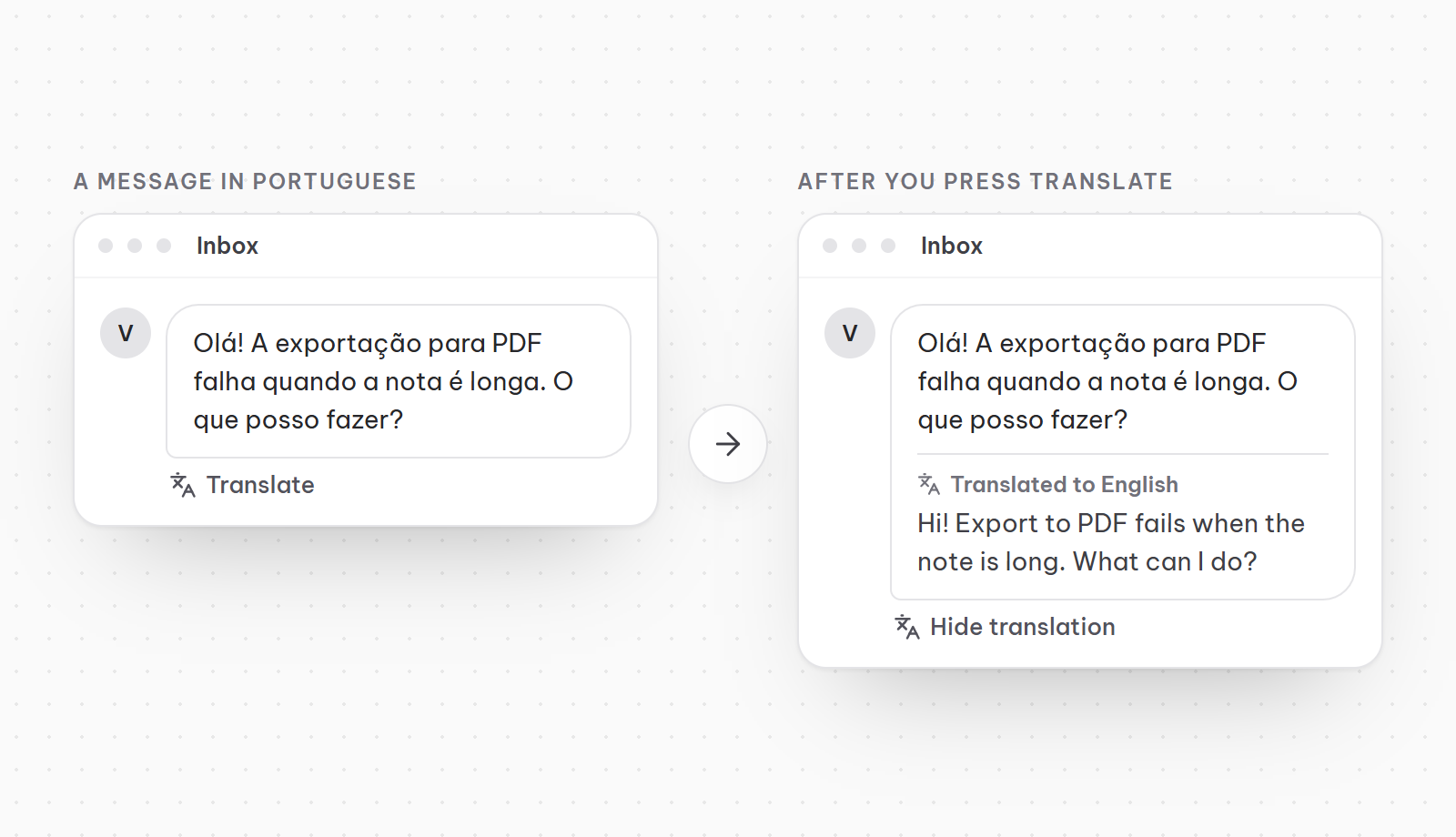
You rarely need to press it message by message. When Heilo notices that the visitor writes in a different language from yours, a short tip appears above the reply box, such as "This visitor writes in Japanese.", with Translate their messages to translate everything they wrote at once.
Each teammate reads in their own language. Set it in Settings, on the Account tab, under Language: Chat translation language. By default it follows your dashboard language, so a Vietnamese teammate can read a Spanish chat in Vietnamese while an English-speaking teammate reads the same chat in English.
Replying in their language
In the reply box, press the Translate my reply button and pick the language, or press Reply in Japanese in the tip. A bar shows what happens, for example "You write in English, the visitor gets Japanese", with Change to pick another language and Turn off to stop.
From then on:
- You write your reply in your own language, as usual.
- When you send, Heilo translates it and sends the translation. The visitor sees only their language, with a small note in the chat widget that it was translated automatically.
- Your original is kept with the message, for your team, the REST API and webhooks.
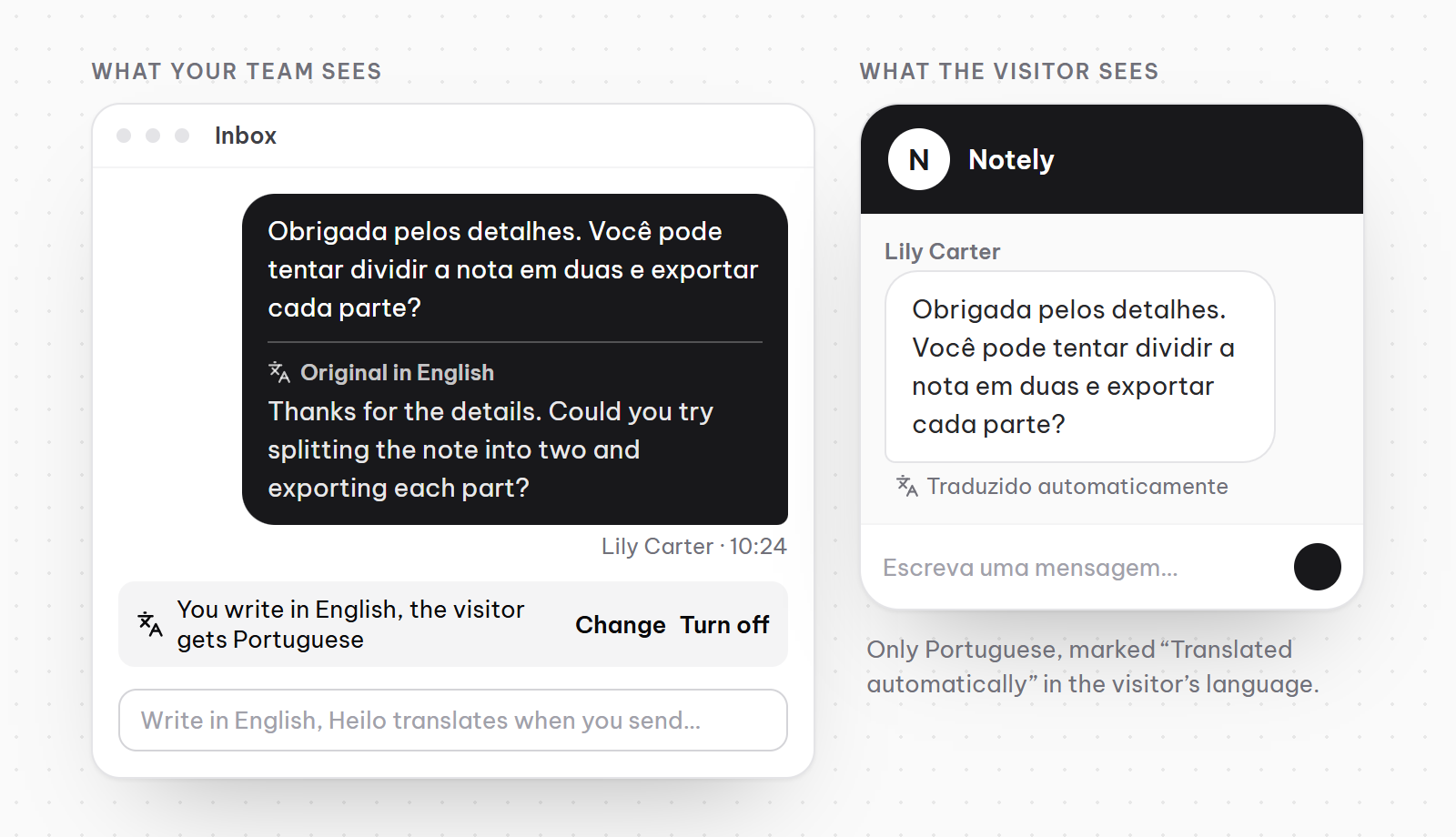
Heilo looks at the last few messages when it translates a reply, so the reply keeps the tone of the conversation instead of sounding like a form letter. And if a translation fails for any reason, nothing is sent, so your draft never reaches the visitor untranslated.
The switch is per conversation. Turning it on for a chat in Portuguese doesn't change how you reply to the next visitor who writes in your own language.
Want your translated replies more polite, more playful, or always with your product names exactly as written? Each website can have its own voice: see translated replies that still sound like you.
A short example
Lily Carter runs support for Notely, a notes app, and writes in English. A visitor writes in Portuguese that export to PDF fails on a long note. A tip shows that the visitor writes in Portuguese. Lily presses Translate their messages, reads the problem in English, then turns on Reply in Portuguese.
She writes: "Thanks for the details. Could you try splitting the note into two and exporting each part? I'll keep this chat open." The visitor receives it in Portuguese. When the visitor writes back, Lily presses Translate on the new message and carries on. Her own English stays in the chat history for the rest of the team.
Plans and daily limits
| Plan | Messages translated per day |
|---|---|
| Pro ($12/month) | 2,000 |
| Business ($29/month) | 10,000 |
Every message translated counts once, whether it's a visitor message you read or a reply you send. Saved translations don't count again, and neither do your own originals. The 14-day free trial includes translation with Business limits, so you can try it on your first international visitors.
For the moments when nobody is online, the AI assistant already answers in the visitor's language from your knowledge base, and hands the chat to you when it isn't sure. Translation then helps you pick up from there.