Know who's chatting with identity tokens for signed-in users
Your customers already signed in, so the chat shouldn't ask for their email again. A short token from your server marks them as Verified, on every plan.
开发者3 分钟阅读
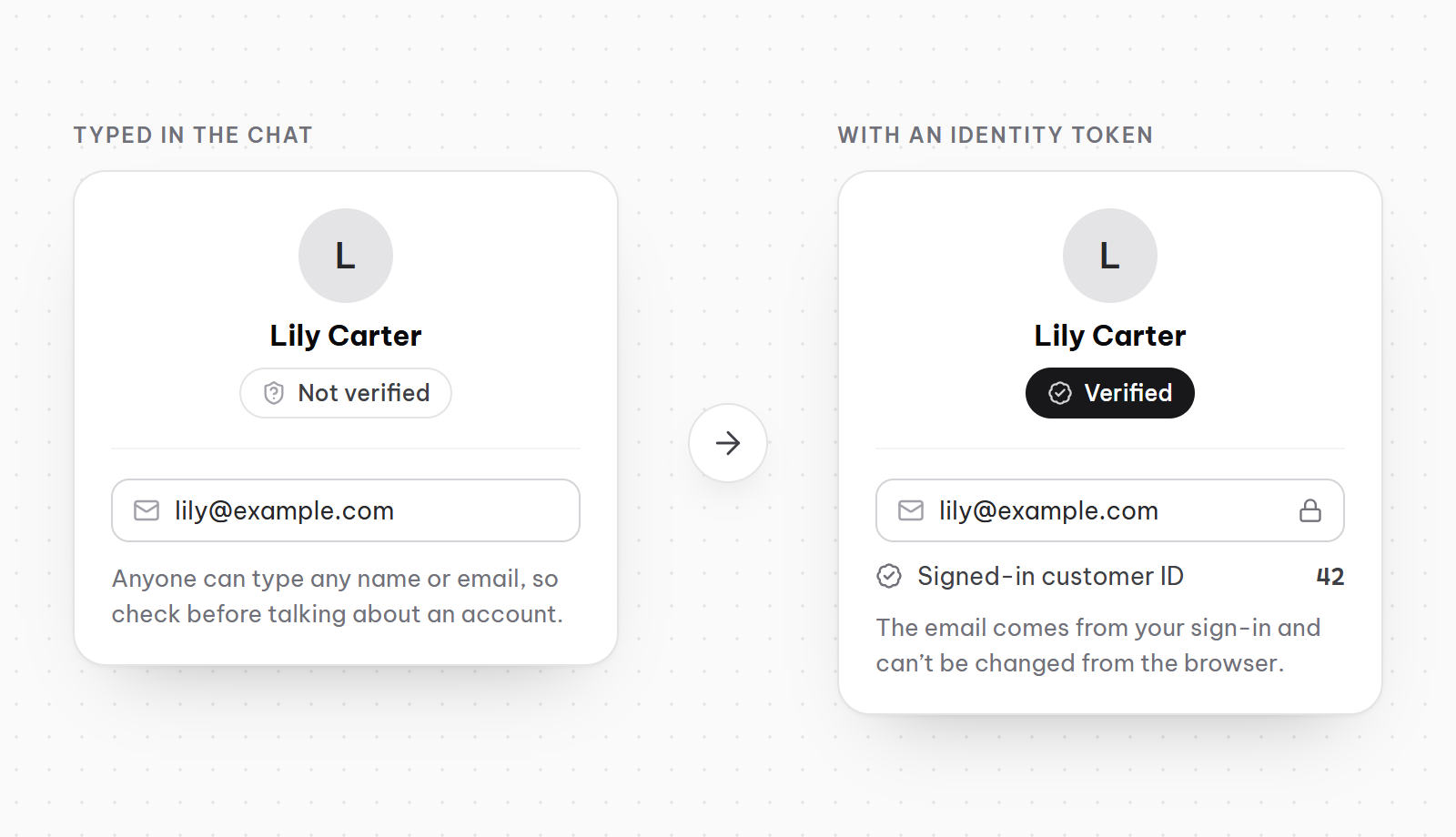
Lily Carter is signed in to Notely. She opens the chat, types her question, and the chat answers by asking for her name and email. She gave you both when she signed up, so it feels like starting over.
There's a second problem on the support side. An email typed into a chat box proves nothing: anyone can type any address. Before you talk about someone's account or a refund, you want to know it's really them. Identity tokens solve both, and they're included in every plan, Free too.
Three ways to tell Heilo who's chatting
| Way | Who vouches for the details | The Inbox shows |
|---|---|---|
Heilo('identify', …) in your page | Nobody, the browser sends them | Not verified |
| The Heilo WordPress plugin | The plugin signs the signed-in WordPress user | Trusted name and email |
| An identity token | Your server signs a short token | Verified, with your user id |
identify is fine for a quick start: one line of JavaScript saves the visitor's name and email, and the pre-chat form stops asking for them. But since it runs in the browser, anyone can change it, so the Inbox marks those details Not verified. For customers signed in to your web app, let your server vouch for them instead.
Set it up in three steps
The idea fits in one sentence: your server vouches for the customer, the page carries that note, and Heilo checks it.
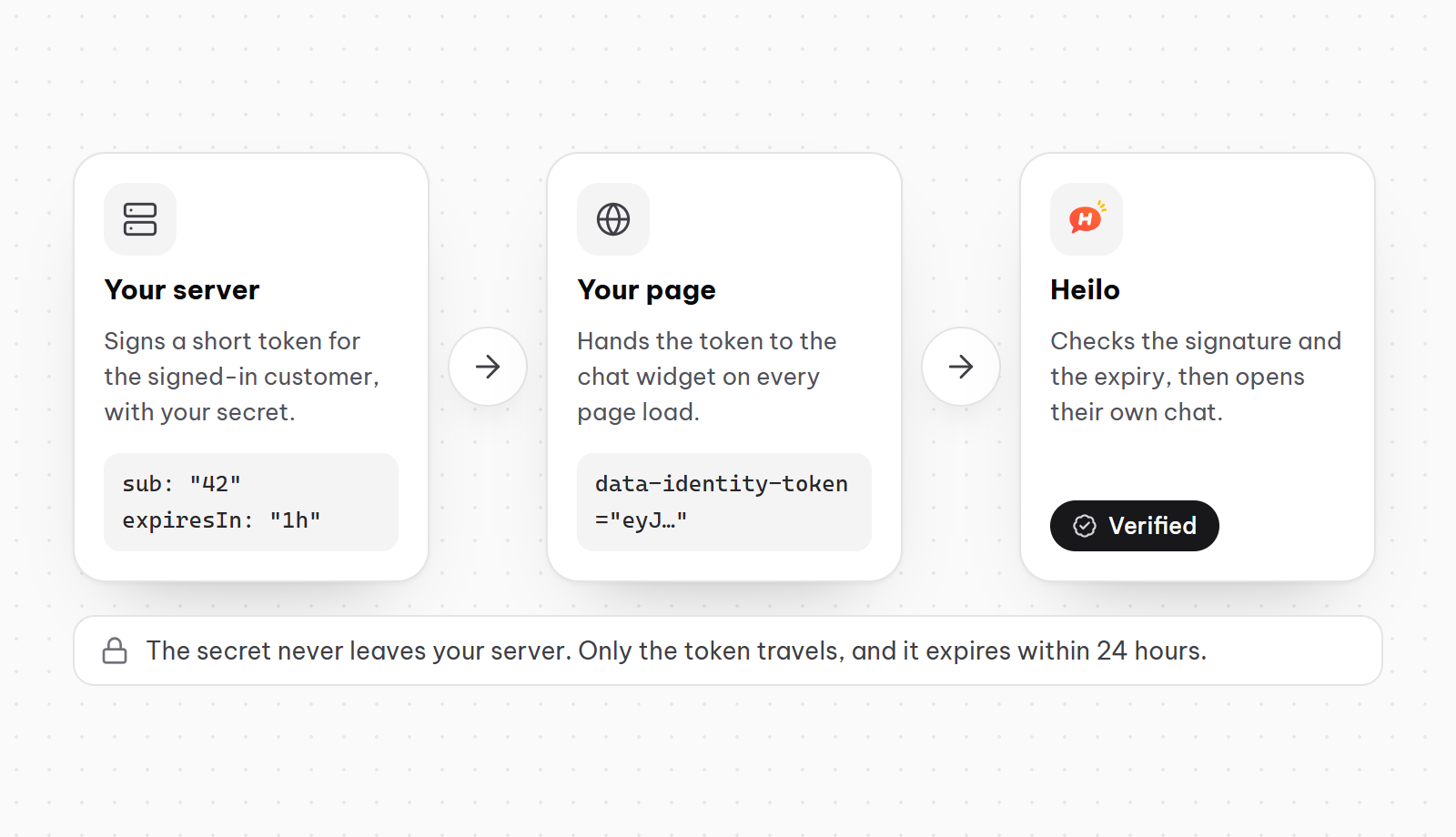
- Create the secret. Websites & widget → your website → Install → Verify signed-in customers → Create secret. Keep it on your server only, in an environment variable, never in the page or your app bundle.
- Sign a token on your server. A short JWT signed with HS256:
subis your user id (required), andemail,nameandphoneare optional. It must expire within 24 hours, and one hour suits a page. - Give it to the widget. Print it on the script tag as
data-identity-tokenwhile the customer is signed in, setwindow.HeiloSettings = { identityToken }, or callHeilo('identify', { token })right after sign-in in a single-page app.
In Node.js with the jsonwebtoken package, step 2 is a few lines:
import jwt from 'jsonwebtoken'

// only for a signed-in customer; the secret never reaches the browser
export function heiloIdentityToken(user) {
  return jwt.sign(
    { sub: String(user.id), email: user.email, name: user.name },
    process.env.HEILO_IDENTITY_SECRET,
    { algorithm: 'HS256', expiresIn: '1h' },
  )
}
Pass a token on every page load while the customer is signed in, not only right after sign-in. A page without a token never reopens a verified customer's chat, which is exactly what keeps it private.
What changes for your team and your customers
- The Inbox shows the customer as Verified, with your own user id as the "Signed-in customer ID".
- The customer finds the same conversation on every device where they're signed in, and in your own chat UI if you also use the Chat SDK.
- The email comes from your token and can't be changed from the browser.
- Details you already sent aren't asked again by the pre-chat form.
- The token can carry custom fields such as the customer's plan (custom fields are on Pro and up). Those values are trusted: anything the browser sends later never overwrites them. More in contacts and custom fields.
Your server can find the same customer later too. Webhooks and the REST API carry your user id as verifiedUserId, and GET /api/v1/contacts?userId=42 finds their contact (the REST API is on Pro and up).
Sign-out, rotation and the small details
Sign-out. Do your own sign-out first, then call Heilo('reset'). It forgets this browser's chat and reloads the page, so the next person on that computer starts a fresh chat. The customer finds their conversation again the next time they sign in. Single-page apps need this step, because nothing reloads by itself.
Rotation. Press Create a new secret at any time. The old one keeps working for 24 more hours, so you can deploy the new one without a gap.
A refused token. If a token is expired or signed with the wrong secret, the browser console says why, and the chat carries on as an anonymous visitor. Nothing breaks for the customer.
Being asked for an email you've already given was one of the small frictions behind why Heilo exists. The full guide is in the widget SDK docs, section "Signed-in customers", with a ready-made example for single-page apps.