New chat alerts in Telegram, Slack, Discord or Teams
Get new chats, tickets and ratings in the Telegram group or the Slack, Discord or Teams channel your team already uses. No code needed, from Pro.
Inbox & team3 min read
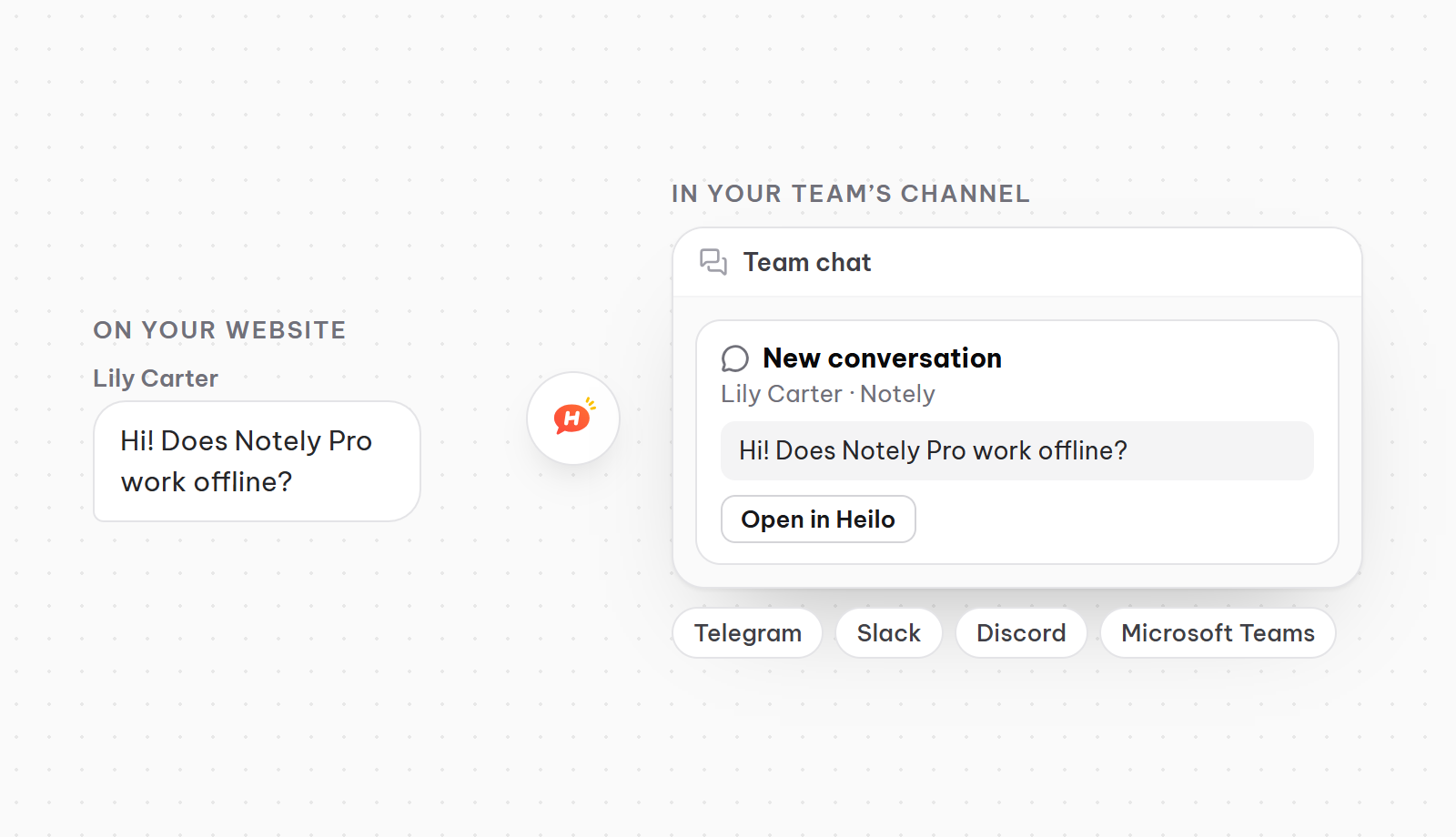
Most small teams already have a place where they talk all day: a Telegram group, a Slack or Discord channel, Microsoft Teams. When a customer writes, that's where the news should land, so whoever is free can pick it up without keeping one more tab open.
Heilo's ready-made alerts do exactly that. Connect an app once and new chats, tickets and after-chat ratings are posted to your channel, each with a link back to the conversation. No code, no Zapier in between. Alerts are on Pro ($12/month) and Business, and in the 14-day free trial.
Connect an app in three steps
Owners and admins find the alerts under Integrations → Webhooks, in the Ready-made section. Each app has a card with its three steps written out next to the form. In short:
- Telegram: create a bot with @BotFather and copy its token, add the bot to your group and send
/startthere, then paste the token in Heilo, press Find chats and pick the group. A private chat with your own bot works too. - Discord: in your server settings, create a webhook for the channel you want and copy its URL.
- Slack: create a Slack app with Incoming Webhooks turned on, add a webhook for a channel and copy its URL.
- Microsoft Teams: in the channel, add the Workflows template that posts webhook requests to a channel, then copy the URL it shows at the end.
Save, then press Send test. A "Heilo is connected" message should appear in the channel a moment later. Each app connects once per workspace, and you can run several apps side by side. The bot token or webhook URL is kept encrypted and never shown again, and a switch on each card pauses an app without disconnecting it.
What gets posted
Under Notify me about you choose the events for each app:
| Event | On by default |
|---|---|
| New conversation | Yes |
| New visitor messages | Yes |
| Conversation assigned | Yes |
| After-chat ratings | Yes |
| New ticket | Yes |
| Conversation closed | No |
A chat alert shows the visitor's name and website, the latest messages, the channel when the chat came from Messenger or Instagram, and an Open in Heilo link. A ticket alert shows the ticket number and subject, the customer, and the priority and assignee when they're set, with Open the ticket. You also pick the language of the messages for each app, English or Vietnamese.
Grouped, so the channel stays readable
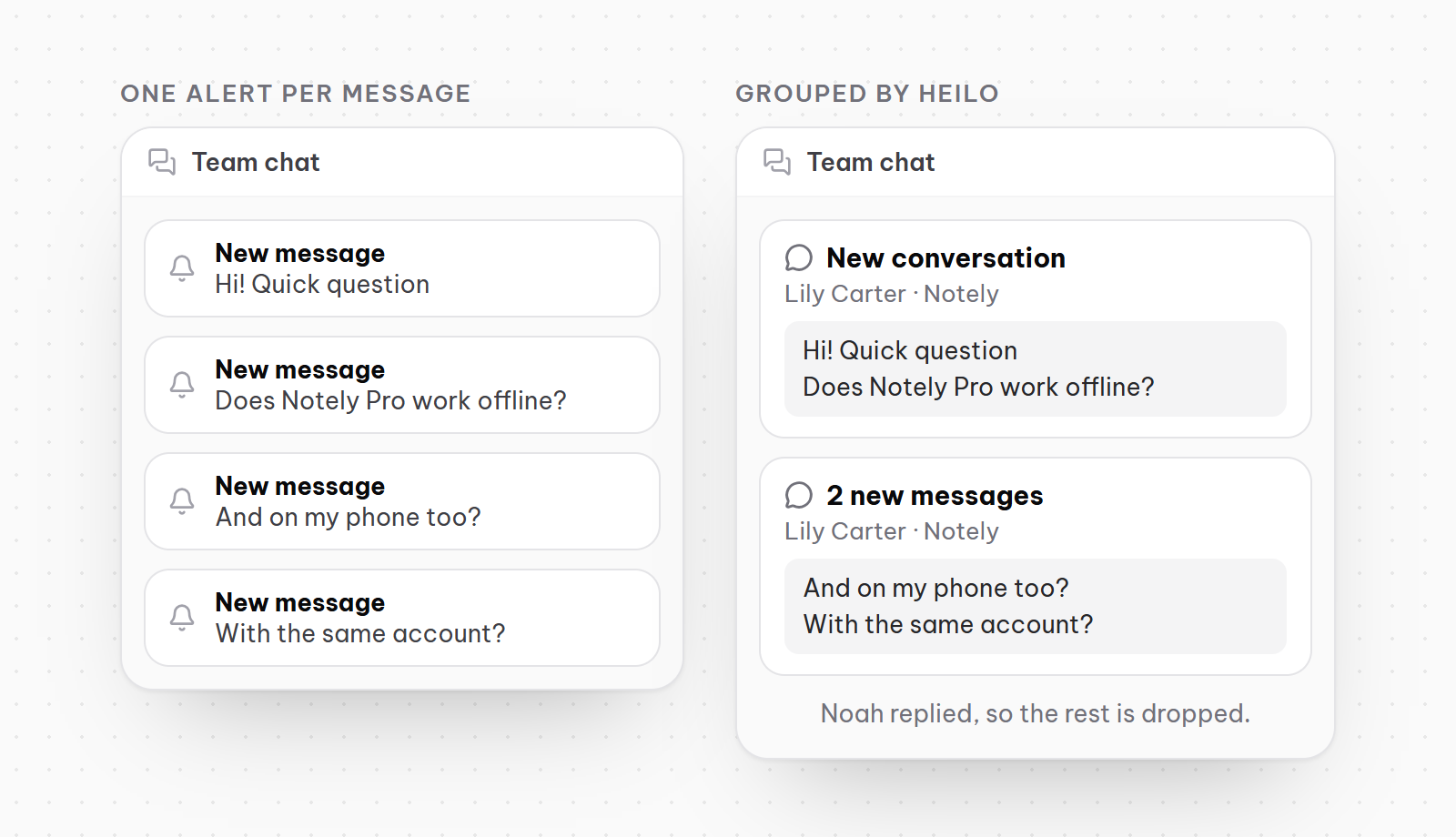
One ping per message would bury a busy channel by lunchtime. Heilo groups a visitor's messages per conversation instead:
- The first message waits a few seconds, so the "New conversation" alert carries it, and a quick burst arrives as one post.
- After that, new messages from the same chat go out at most once a minute, as "3 new messages" with the latest ones quoted.
- When a teammate replies, whatever was still waiting is dropped. The chat is handled, so nobody needs the ping.
Ratings wait for their comment. The visitor taps the thumbs first and often writes a comment a moment later, so Heilo posts both as one alert. If the visitor changes their score later, a new alert says so; edits to the comment stay in the Inbox. There's more on ratings in after-chat rating.
When you want more, or less
Alerts are for the moment someone is waiting. Two other tools sit nearby:
- For yourself only, Settings → Notifications has browser notifications on your device and an email when a chat has been waiting for a reply.
- For your own backend, Zapier or n8n, the Custom webhook section on the same page sends every event as signed JSON (HMAC-SHA256), with retries and a test button. The webhooks guide and the post on REST API and webhooks go further.
Start with one app and the default events. After a week you'll know whether your channel wants every new message or only new conversations.