Answer customers from your phone with the Heilo app
The Heilo app for iPhone and Android puts your inbox, push notifications, images, notes and tickets on your phone, at no extra cost on any plan.
Inbox & team3 min read
In the first weeks after launch, questions don't wait until you're at your desk. Someone tries your product on a Sunday evening, gets stuck on sign-in, and writes. A browser tab works well while you're at the computer. The rest of the day, your phone is where you'll notice a new message first.
The Heilo app puts your inbox there. It costs nothing extra on any plan, Free included: iPhone from the App Store, Android from Google Play. This post covers how to get it, what's inside, and how Heilo decides when your phone should buzz.
Get the app in a minute
- Open Home in the Heilo dashboard on your computer. The Heilo on your phone card shows a QR code. The phone icon at the top of the Inbox opens the same code.
- Point your phone camera at it. An iPhone goes to the App Store, an Android phone to Google Play.
- Sign in the same way you do on the web: Google, Apple, or your email.
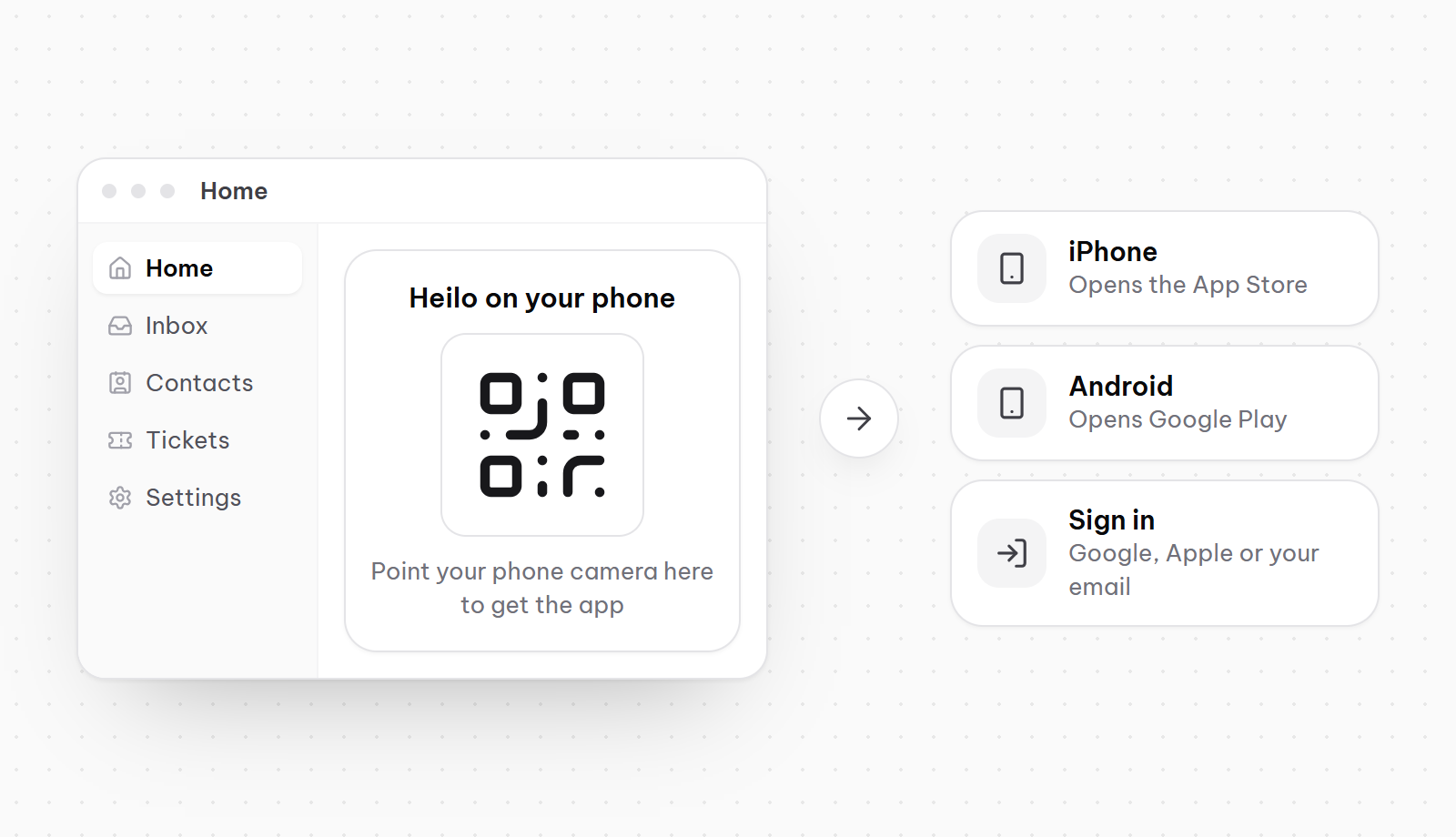
If you've hidden the card on Home, the download buttons are also under Settings, in the Notifications tab.
What's in the app
- A real-time inbox with your website chats and, from Starter, Messenger and Instagram in the same list.
- Push notifications when a customer writes.
- Images and files both ways, so you can send the screenshot that answers "where do I tap?".
- Internal notes, to leave a word for your team from wherever you are.
- Tickets, with the assignee, priority and due date of each one.
- Dark mode, for the questions that arrive late at night.
Who gets the push, and when
A notification is only useful if it isn't noise. Heilo follows a few simple rules:
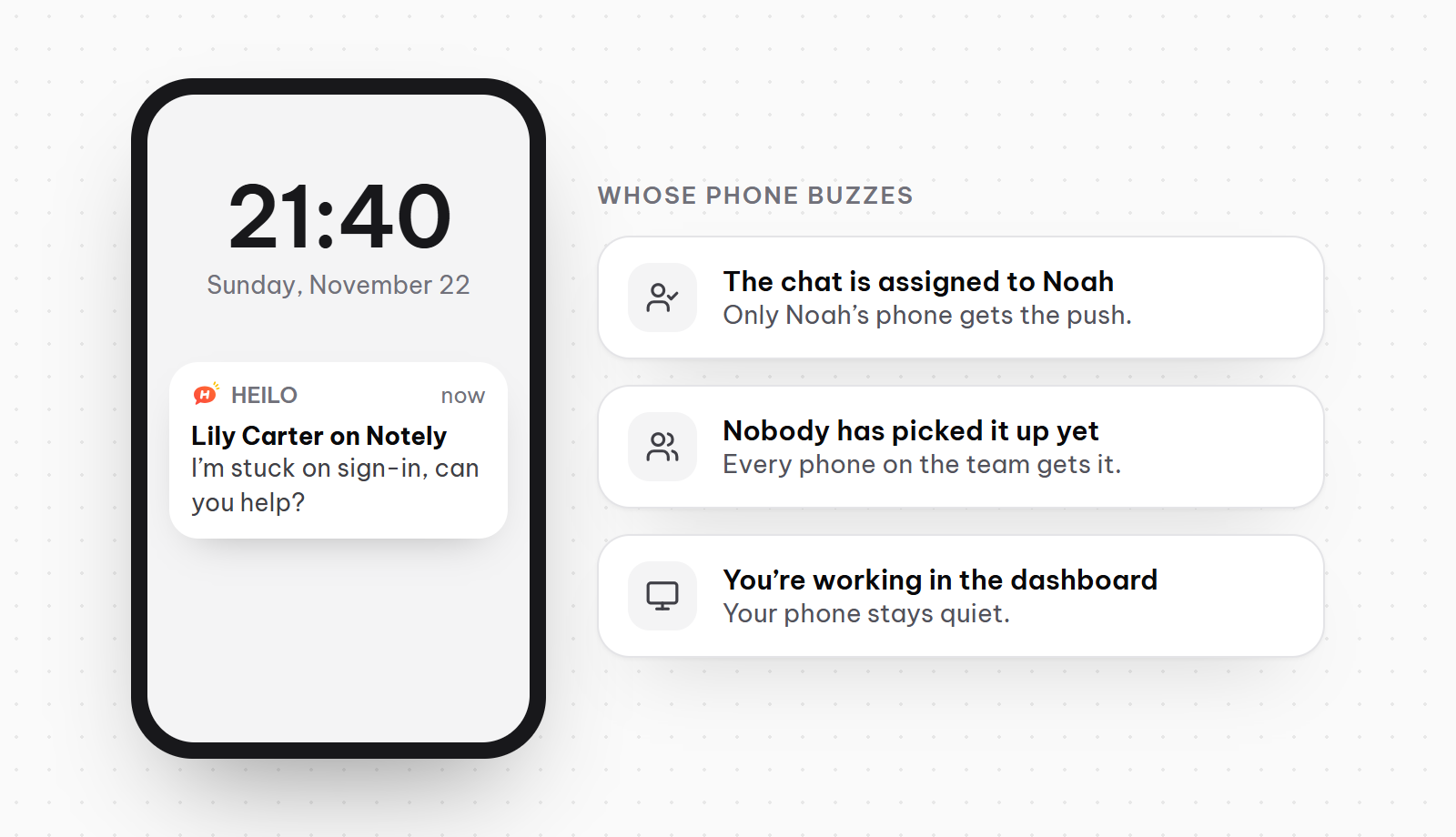
- If a chat is assigned, only the assignee's phone gets the push. A chat nobody has picked up yet goes to everyone on the team.
- While you're actively working in the dashboard on your computer, Heilo doesn't buzz your phone as well. Step away from the computer and the phone takes over.
- A quick burst of messages from one customer doesn't turn into a burst of pushes.
The app also counts as "being there". With the default online status, When someone has Heilo open, your widget shows you as online while a teammate has Heilo open on the web or in the app. So answering from your phone on the go keeps the chat looking alive to visitors. You can read more about the other modes in business hours and online status.
And when nobody on the team has Heilo open, new messages still reach you by email as well as on your phone.
Phone, browser, or a team channel
Each place has its own job, and most small teams end up using two of them:
| Where | Good for |
|---|---|
| Dashboard in a browser | Long sessions at your desk, settings, reports, canned replies with files |
| Heilo app | Noticing a new chat fast and replying in a few taps |
| Team alerts (Pro) | A shared Telegram, Slack, Discord or Teams channel where everyone sees new chats |
If your team already lives in a group chat, team alerts post new chats there, and the app is where you tap to answer. If Messenger and Instagram are part of your support, they arrive in the same app inbox, see one inbox for your website, Messenger and Instagram.
Install it once, leave notifications on, and let the next question find you wherever you are.