Don't maintain two apps: why I built Heilo
The story behind Heilo: from signed-in customers being asked for their email again to a just-enough chat for solo builders and freshly launched apps.
Getting started3 min read
When you build alone, you want your time to go into the product. But the day your app launches, people start writing: a forgotten password, an export to PDF that fails, which plan has which feature. The next question comes quickly: where do you answer them?
This post is about why I built Heilo, and why I chose to make it "just enough" instead of making it big.
Three small things that changed my mind
Early in 2026 I was using a well-known live chat tool. A good tool, just a lot for me, and three small things kept coming back.
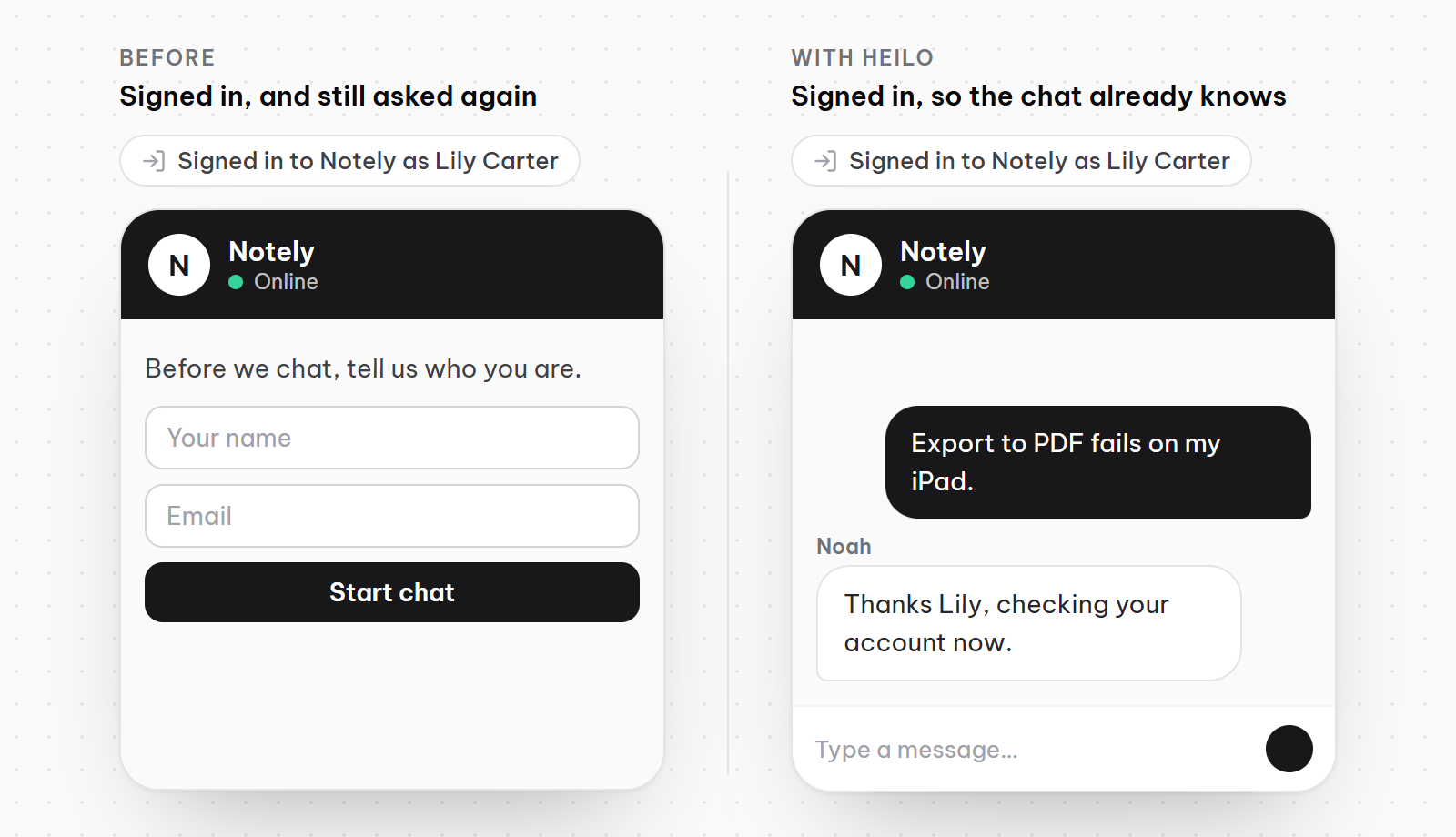
- Signed-in customers were asked again. Someone signs in to the app, opens the chat, and gets asked for their name and email. They had already told us.
- Sending one image back meant upgrading. A friend had just launched an app. Customers could send a screenshot of a bug, but for the support side to send back a "tap here" screenshot, they needed a much pricier plan.
- Open source was heavy. I tried running an open source chat myself. It worked, but updating, backing up and watching a server alone turned it into one more app to look after.
The first one is easy to picture. The customer is signed in and the app knows exactly who they are, yet the chat starts from zero.
In March 2026 I stopped using that tool.
So I built something just enough
I built the chat for my own product: a chat widget on the web, an inbox for the support team, images both ways, and knowing at once which signed-in customer is writing. More than 7 months later, that system had served more than 10,000 real customers and more than 1,000 support requests by chat.
A developer can put a chat box together in a few days. The harder part shows up only with real users: people who leave the page before you reply, people who write at 2 a.m., people who message on Messenger instead of the website, people who ask the same question ten different ways. Those 1,000+ conversations taught me a lot of things like that, and Heilo is built from them.
What "just enough" means
Heilo doesn't try to be an enterprise suite. The goal is to be enough for a freshly launched app, and small enough that you don't have to think about it much:
- One line of code gives you a chat widget in your product's colors and font.
- Images and files both ways on every plan, Free included.
- Signed-in customers are recognized, so nobody asks "what's your email?" again.
- Website, Messenger and Instagram in one inbox, and you can answer from your phone.
- An AI assistant answers from your own docs and hands the hard questions back to you.
- When you want your own chat UI, the API and SDK are there.
Pricing follows the same idea: one flat price for the whole workspace, never per seat. There's a free plan forever, paid plans from $3/month, and a 14-day trial with every tool, no card.
Don't maintain two apps
Customer chat sounds small, but built by hand it grows into a second app: a real-time server, file storage, push notifications, a phone app for the team, spam protection, backups. Each piece needs care, usually right when you're busiest with the product.
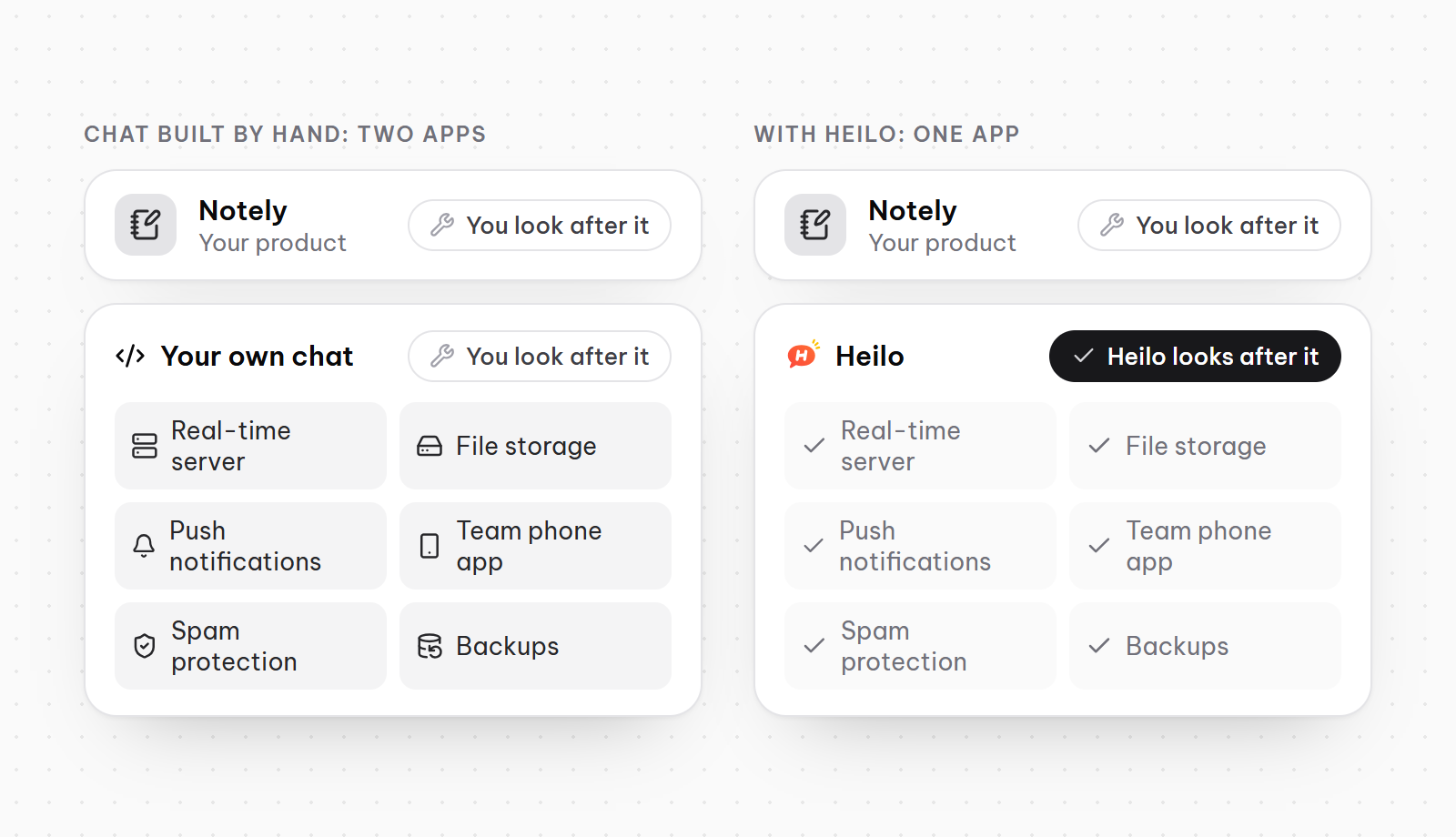
Heilo takes that part. You keep one app to maintain: yours.
I still work on Heilo every day, and I answer Heilo's own customers with Heilo. The chat in the corner of the heilo.chat home page is the real thing, so if you have a question, ask it there.
Where to start
If you want to try it now, add live chat to your web app in about a minute walks through it step by step. If you're getting ready to launch, a support checklist for launch week lists what to switch on first. And if you're curious about the free plan, the post on the Free plan goes through every limit.
The thing you want to build is your product, not a support tool.