Reply to a specific message so long chats stay clear
Quote the exact message you're answering, in the Inbox and in the chat widget, so nobody has to guess which question you mean. On every plan, Free included.
收件箱和团队3 分钟阅读
Customers rarely ask one thing at a time. A single chat can hold a bug report, a question about plans and a small favor, all sent within a minute. By the time you answer the first one, two more messages have arrived, and "Yes, that works" could mean any of them.
Heilo lets you reply to a specific message. Your answer carries a short quote of the message it belongs to, both in the Inbox and in the chat widget your visitor sees. Visitors can do the same. It's on every plan, Free included.
How it works in the Inbox
- Hover over a message and press the small reply arrow next to it (its tooltip says Reply to this message). On touch screens the arrow is always faintly visible.
- A bar appears above the reply box, "Replying to Lily Carter", with a short copy of the message. Press Esc or the X to cancel.
- Write your answer and send it as usual. The sent message shows the quote on top.
Clicking a quote scrolls to the original message and highlights it for a moment. Quotes always point to messages from the same customer, and that can include an earlier chat with them. If the original isn't in the chat you're looking at, Heilo tells you it's in an earlier chat.
Here is the same busy chat answered twice, once without a quote and once with one:
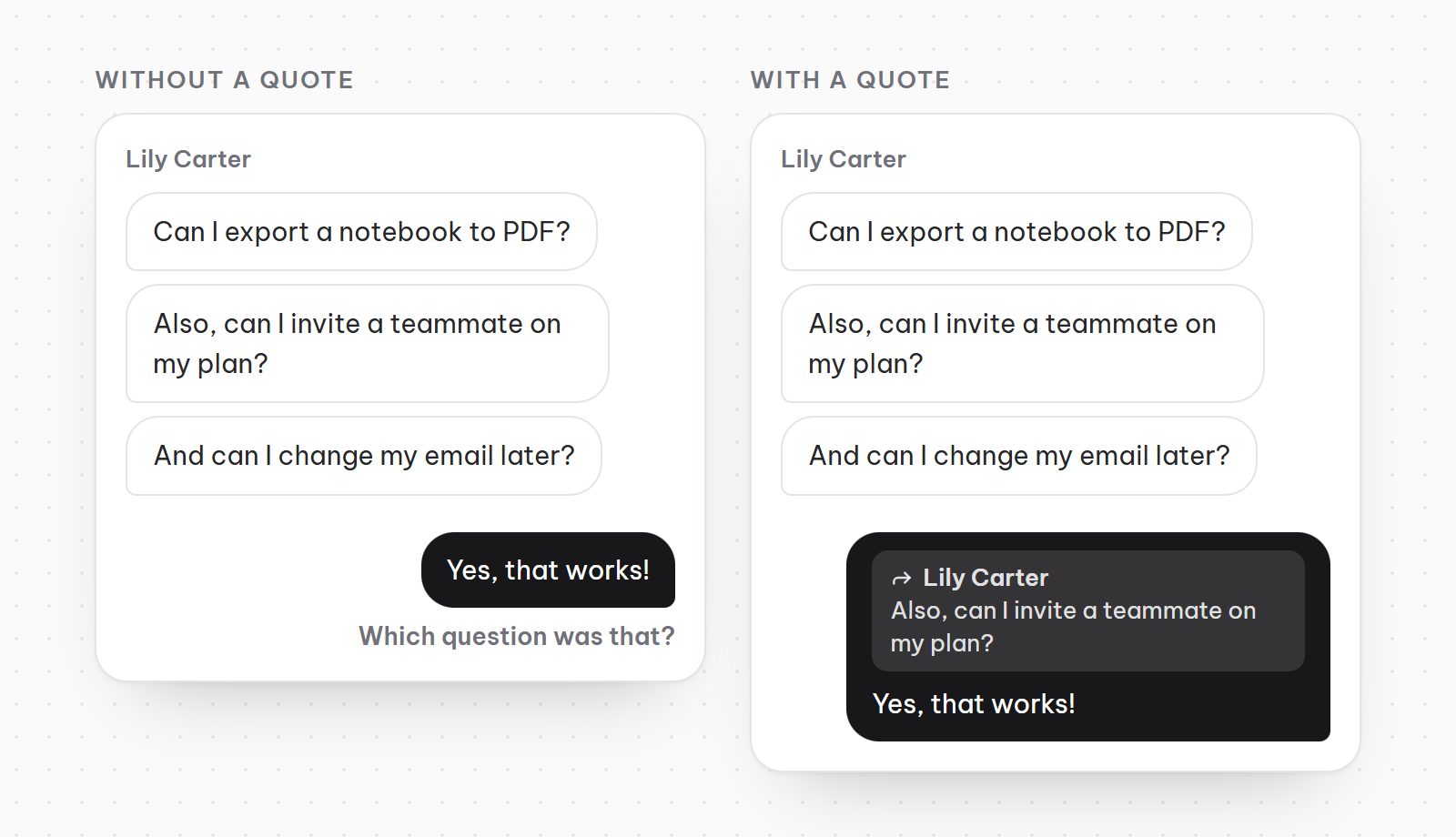
When every answer carries its question, Lily can read the chat back later and each answer still makes sense on its own.
Visitors can quote too
When your reply quotes a visitor, they see the quote above your answer in the chat widget and can tap it to jump back to the original. In the widget, their own message is simply signed "You".
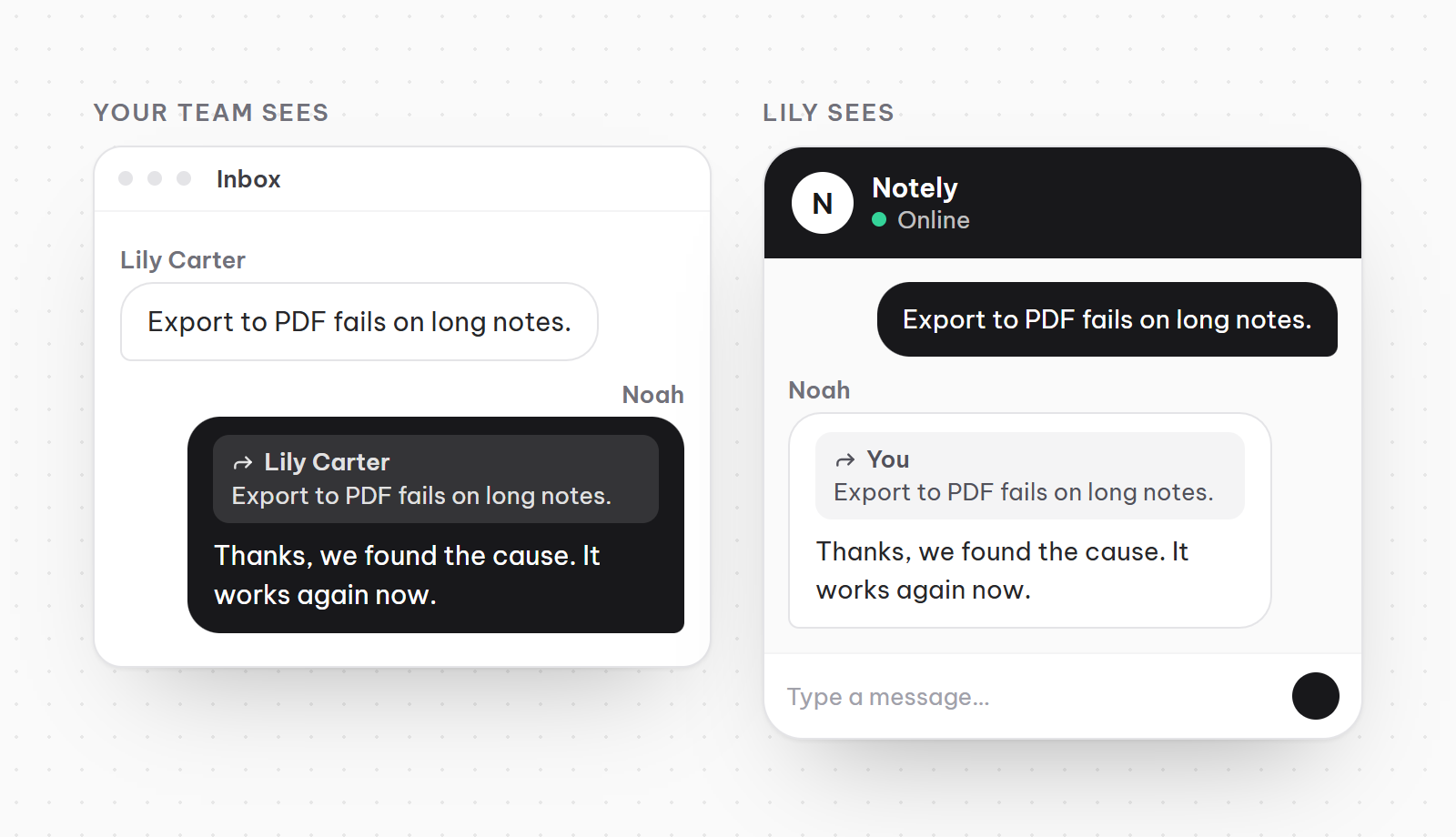
The widget has the same button too. A visitor can point at one of your answers and reply to exactly that. The bar in the widget shows the teammate's name, or "Replying to your message" when they quote something they wrote themselves.
These texts follow the widget language, so they read naturally in all 13 languages the widget speaks.
Notes stay private
Internal notes are for your team only, and quoting keeps it that way:
- A message the visitor sees never quotes an internal note.
- If you press Reply on a note, the reply box switches to Internal note mode, so your answer stays inside the team. A note can quote any message.
- Switching back to Reply drops a note quote, so it can't slip into an answer by accident.
This makes quoting useful inside the team too. A teammate leaves a note asking "Is this the bug from Tuesday?", and you reply to that note directly. If your team talks in notes a lot, the post on internal notes and @mentions shows how to pull someone into a chat.
Beyond the Inbox
A few places where the quote travels with the message:
- The AI assistant (Starter and up) sees which message the visitor replied to, so its answer fits the right question.
- Messenger and Instagram: your message goes out as normal text there, and the quote shows in Heilo only.
- Developers:
replyToworks in the REST API and the Chat SDK (both Pro and up). Pass the id of any message in that visitor's chats, theirs or your team's (internal notes are never quoted to visitors). An id that doesn't match is ignored, and the message is still sent.
If you built your own chat screen with the Chat SDK, your visitors can quote a message too. It's one extra option:
await chat.send('Yes, that is the error I see', { replyTo: message.id })Messages that come back from the API carry a replyTo object with a short copy of the original, so your own interface can show the quote too. The REST API guide lists the fields.
Next time a customer sends three questions in a row, try answering each one with a quote and see how much easier the chat is to read afterwards.