See who's on your site right now, and where they're from
The Visitors online page shows who has your website open, the page they're on, where they came from and roughly where they are. You can say hello first.
Customers & data4 min read
In the first weeks after a launch, a number in your analytics doesn't tell you much. You want to know who is reading the pricing page right now, and whether they came from the post you shared this morning or from a search.
Heilo's Visitors online page shows everyone who has a page with your chat widget open, live: the page they're on, where they came from, their device and roughly where they are. If someone looks stuck, you can write to them first. It's on every plan, Free included.
Here's what the page shows, how saying hello first works, and what Heilo keeps (and doesn't).
What the list shows
Open Visitors online in the sidebar. Each row is one visitor, and it updates in real time while they move around your site.
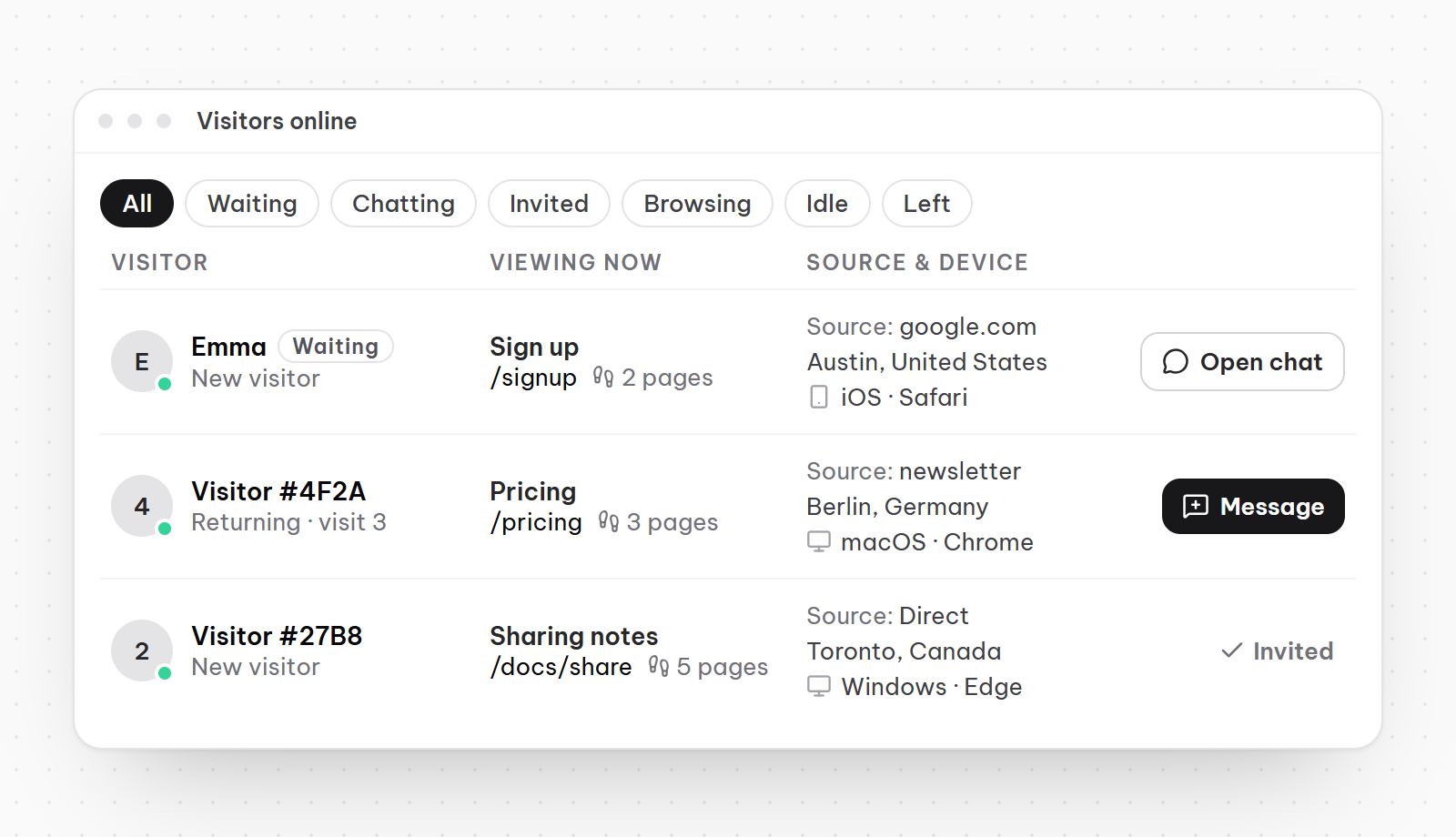
Reading a row from left to right:
- New visitor or "Returning · visit 3", with a name once the visitor has given one.
- Viewing now: the page they're on, with a page count next to it. Hover or tap the count to see the pages of this visit, newest first, with the time spent on each.
- Source: the
utm_sourcetag of the link they followed, the site that linked to you, or Direct. - Location with a flag (city and country when known), then device, operating system and browser, and how long they've been on your site.
- On the right, Message to say hello, or Open chat once you're already talking.
The filters at the top group visitors by what's happening: All, Waiting, Chatting, Invited, Browsing, Idle and Left. Waiting means the visitor wrote last and is waiting for your reply, so those rows sit at the top. Idle means no activity for a while, or the tab is in the background. If you run more than one website, filter by website.
Above the list, Where visitors are right now shows the pages with the most visitors at this moment. Click one to see only the people on that page.
Saying hello first
Press Message on a row to start the chat yourself. A few suggested openers are there if you'd rather not write one from scratch.
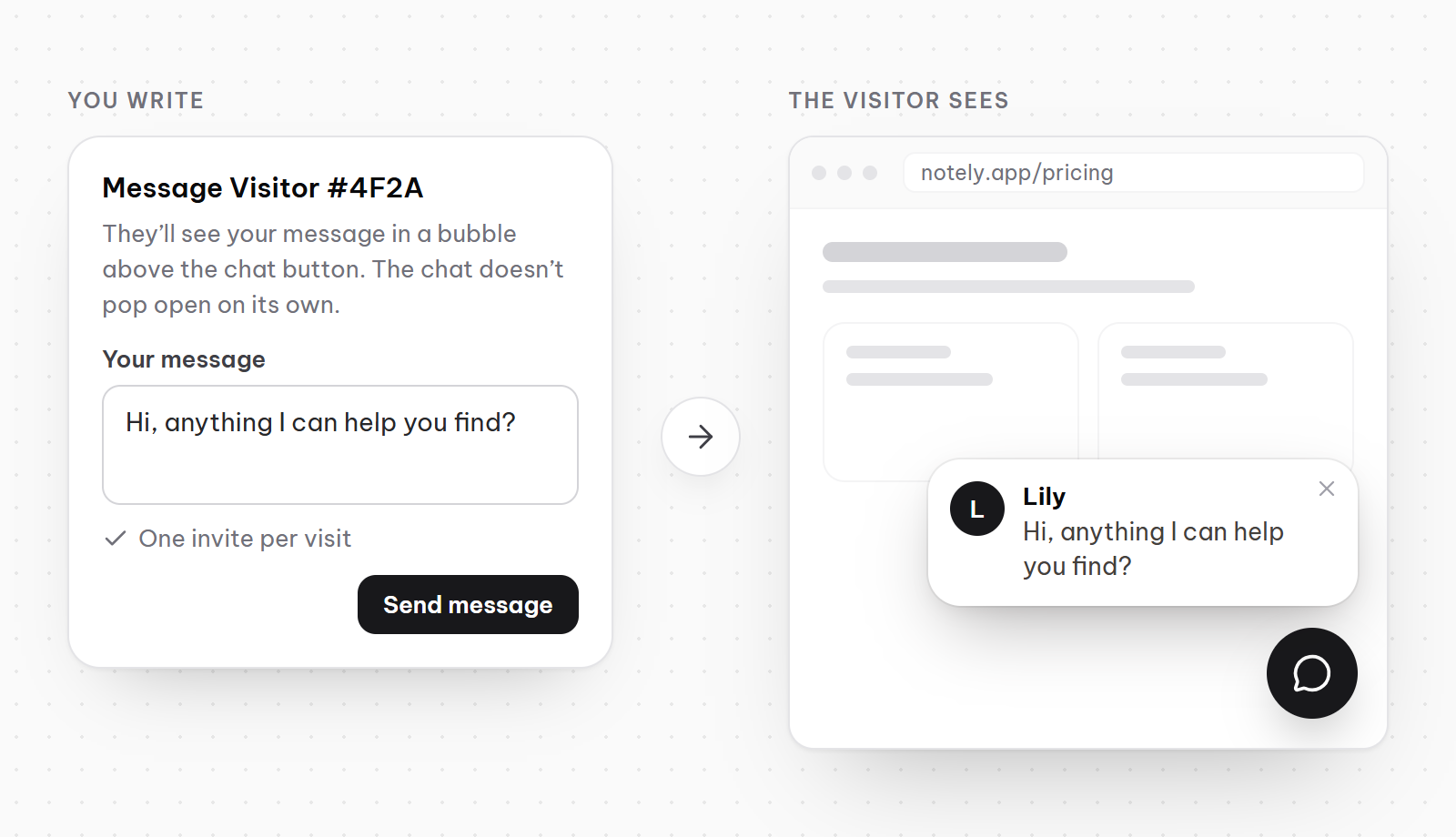
The visitor sees your message in a bubble above the chat button. The chat doesn't pop open on its own, so it never covers what they were reading. Their reply lands in your Inbox like any other chat.
Two rules keep it polite:
- One invite per visit. After that, the row shows Invited instead of the button.
- If they leave without replying, the invite closes on its own and doesn't count toward your monthly conversations. That matters on the Free plan, which includes 1,000 a month.
Some moments where a hello tends to feel natural: a returning visitor reading the pricing page for a while, someone who has opened the sign-up page twice, or a visitor going through your docs page by page. A short question usually feels better than a pitch, something like "Hi, anything I can help you find?"
If you'd like a gentle hello to show up without anyone pressing a button, invite templates do that above the chat button for every visitor.
The same details inside every chat
When a visitor writes, the right side of the Inbox shows Visit info: Viewing, Device, Location, Their time, Language, Visits (with the date of the first visit) and Source. You don't need to switch pages to know who you're talking to.
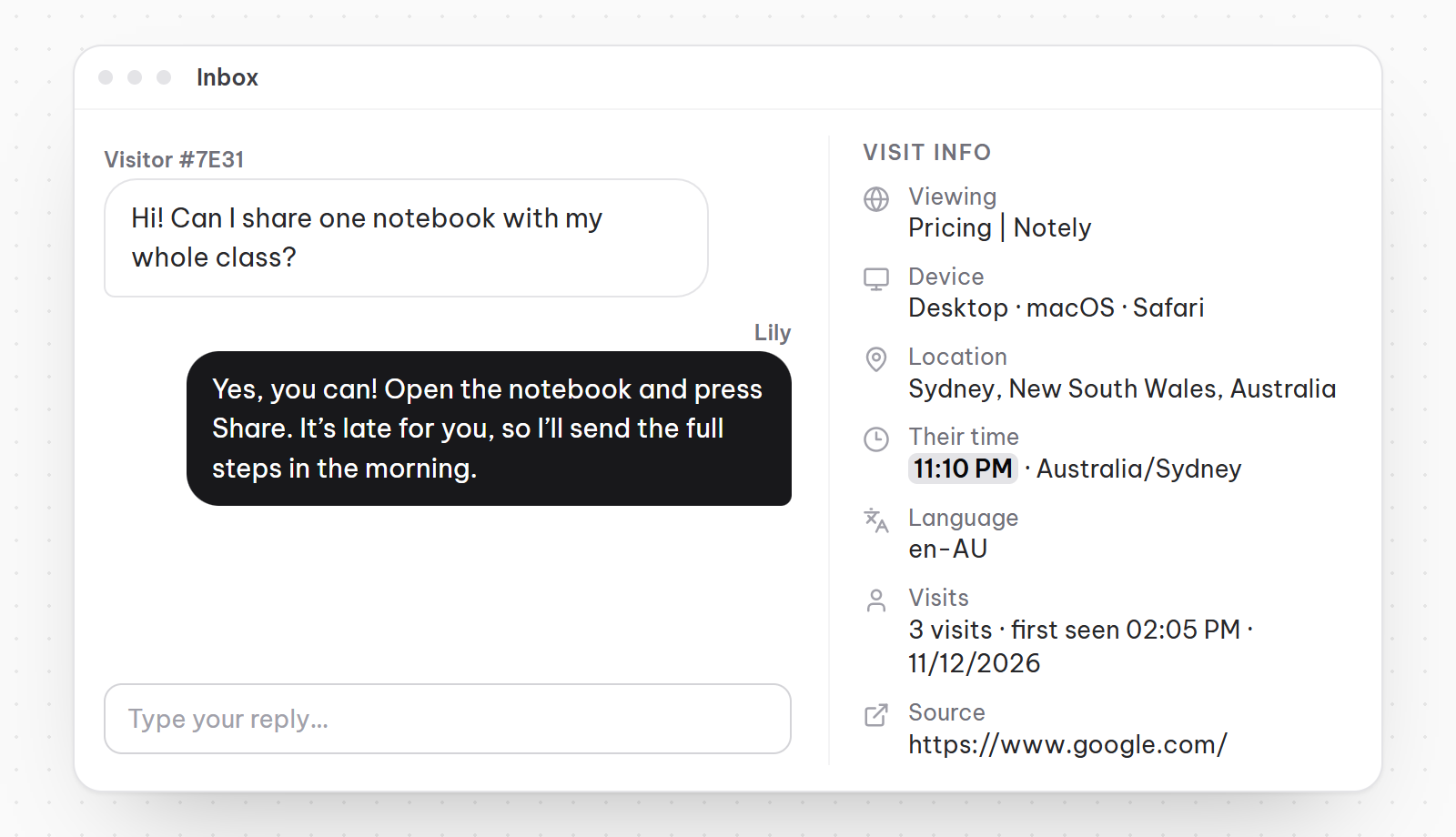
Their time is easy to miss and quite useful. If it's 23:00 for the visitor, a short answer now and a fuller one tomorrow may suit them better than a long back-and-forth.
Every visitor who chats becomes a contact, so these details stay on their profile afterwards. The post on contacts, labels and custom fields shows what else lives there. And if your app has signed-in users, an identity token shows their real name on the row instead of an anonymous visitor.
Messenger and Instagram contacts have no location, because Meta doesn't send one. Their channel info shows instead.
What Heilo keeps, and what it doesn't
Seeing visitors live is useful, and it should stay respectful. A few things are built in:
- A visitor's latest IP address is only shown to your team in the Inbox, so you can block a bot or a troublemaker when needed. It isn't sent through the API, webhooks or exports.
- Page links in the list hide query strings, except
utm_tags, so private parts of a URL stay out of your dashboard. - The pages of each visit are kept for 13 months for the Visitor behavior page, then deleted.
- Location comes from the visitor's network connection, so treat the city as a good hint rather than an exact place.
There's nothing to set up: the list fills as soon as the widget is on your site. The next time you share a launch post, open it and watch the first visitors arrive.