Contacts and labels: a small CRM that stays out of the way
Everyone who chats with you gets a profile with notes, labels and history. Pro adds custom fields your app can fill, saved segments and CSV export.
Customers & data4 min read
Most young products don't need a big CRM. They need to remember who someone is when they write again: which plan they're on, what went wrong last time, that they already asked about the Android version twice. A spreadsheet next to the chat helps for a week, then quietly drifts out of date.
Heilo keeps that memory next to the conversation. Contacts, profiles and labels are on every plan. Custom fields, saved segments and CSV export come with Pro, for when you want your app to fill in the details and your team to slice the list.
A profile for everyone who chats
Everyone who chats with you gets a profile, whether they wrote from your website, Messenger or Instagram. The Contacts page shows Contacts by default: visitors who left a name, email or phone, or that your team labeled or wrote a note about. Switch to All visitors to see everyone.
Click a row and the profile opens on the right.
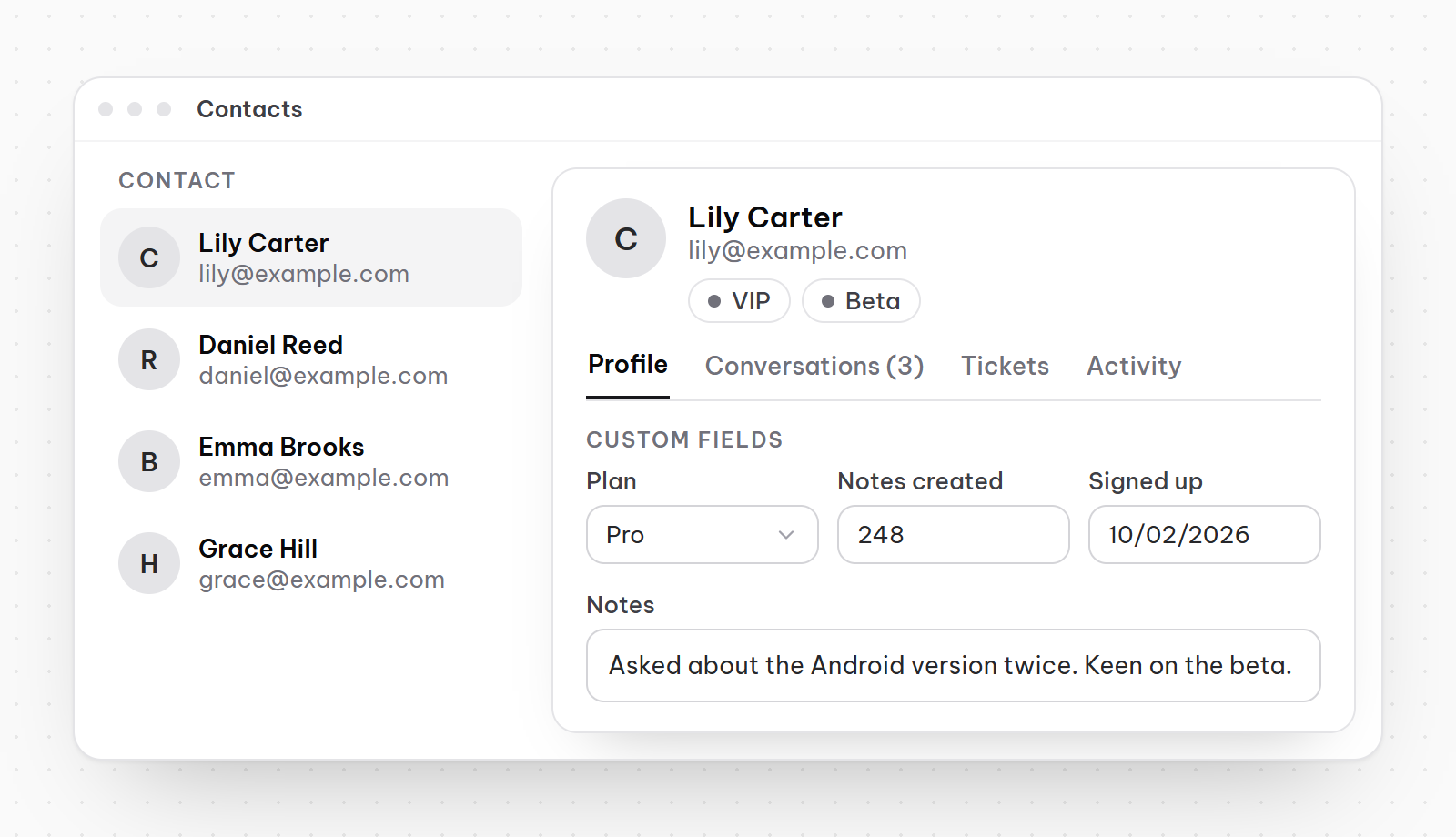
It has four tabs:
- Profile: name, email, phone, notes for your team, labels and custom fields.
- Conversations: every chat you've had with this person.
- Tickets: any tickets opened for them, so a bug report doesn't get lost after the chat ends.
- Activity: their first visit and where they came from, the pages they're on while they're on your site, the chats they started and closed.
The same details sit in the Inbox sidebar while you chat, with Open contact profile one click away. Search works on name, email and phone, and the filters cover labels, channel, website and last seen, including Not seen for 30+ days and Not seen for 90+ days. Those two are handy for finding people who tried your product once and drifted off. If you want to see who's on your site right now rather than who wrote before, that's live visitors.
Labels for quick grouping
Labels are colored tags for contacts and for conversations, on every plan. The useful ones are short and few: VIP, Trial, Bug report, Beta. Anyone on the team can create and add them, and only owners and admins can rename or delete them, so the list stays tidy.
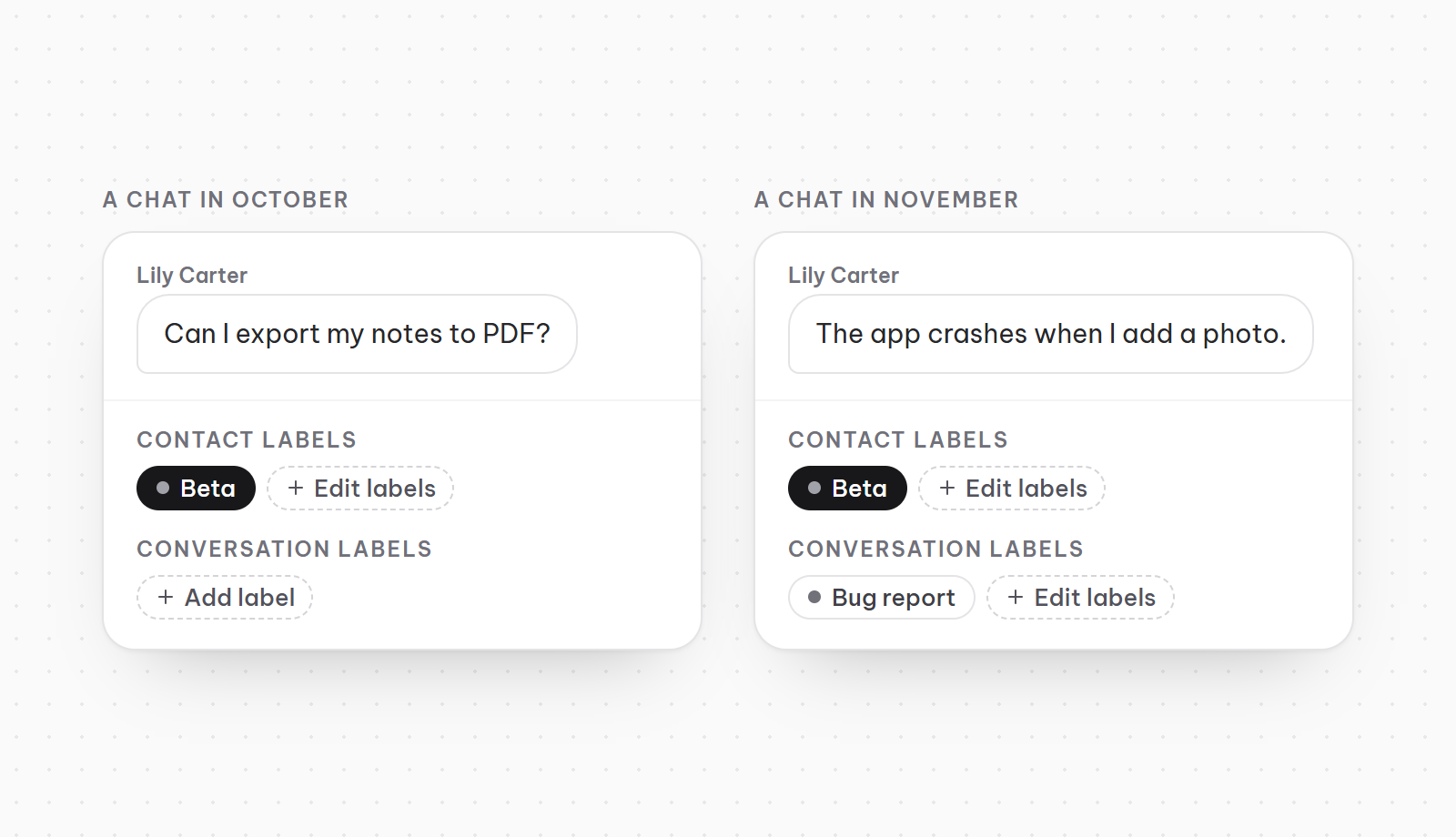
A label on a conversation and a label on a contact do different jobs. "Bug report" on a conversation marks that one chat. "Beta" on a contact follows the person into every chat they start. The Inbox sidebar lists them separately, as Contact labels and Conversation labels:
When you filter, you can ask for contacts that have any of the chosen labels or all of them. Tickets use the same labels, so "Bug report" means one thing everywhere.
Custom fields your app can fill
On Pro, owners and admins can add custom fields to every contact: text, number, date or dropdown. For a notes app like Notely that might be Plan (a dropdown with Free and Pro), Notes created (a number) and Signed up (a date). Each field has a key, and the values show in the profile, the Inbox sidebar and the CSV export.
Your team can type values by hand, but it's nicer when your app sends them. With the widget on your page:
Heilo('setFields', { plan: 'Pro', signed_up: '2026-10-02' })The same values can come from a signed identity token, the Chat SDK or the REST API. Heilo remembers who set each value:
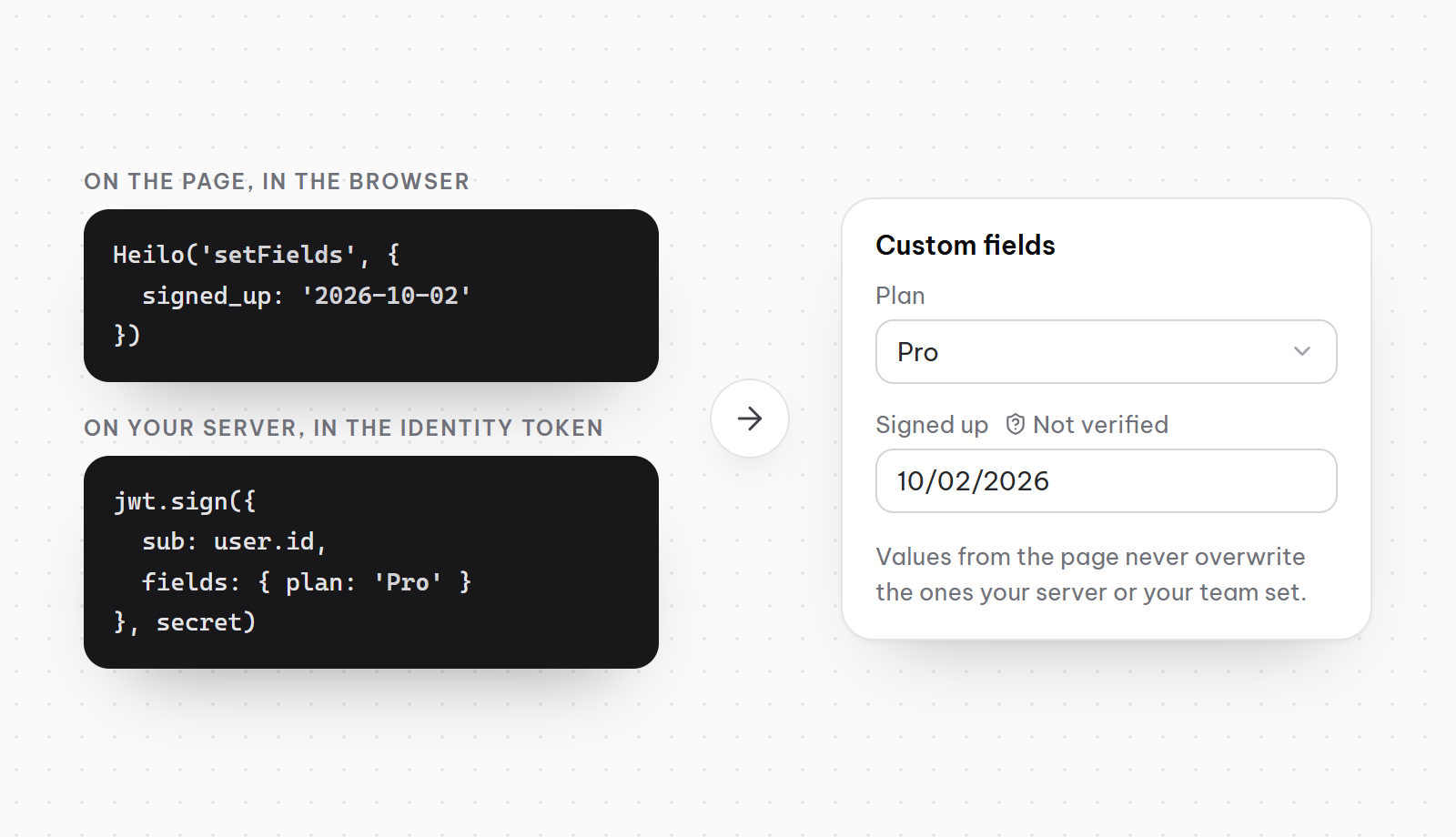
Anything sent from the browser shows as Not verified and never overwrites what your team or your server set, because anyone can change a call in their own browser. For values you rely on, like the customer's plan, put them in the identity token. Keys, types and limits are in the widget guide.
The pre-chat form can ask for a custom field too, and the answer lands on the profile.
Segments and CSV export
A filter you use every week can become a saved segment, for example "Pro, not seen for 30 days". Segments are shared with the whole team and always list who matches right now, not a snapshot from the day you saved them.
Export CSV (owners and admins) downloads the contacts that match your filters, with their labels and custom fields. The file opens straight in Excel with Vietnamese names intact, and cells that start like a spreadsheet formula are kept as plain text, so nothing runs when someone opens the file.
| Free and Starter | Pro and Business | |
|---|---|---|
| Contacts, profiles, search, filters | Yes | Yes |
| Labels and notes | Yes | Yes |
| Custom fields and field filters | No | Yes |
| Saved segments | No | Yes |
| CSV export | No | Yes |
Start small: two or three labels, one field your app fills by itself. You can always add more once you notice which questions you keep asking.