Translated replies that still sound like you
Pick a tone, say who is writing and keep your own words with a glossary, so chat translation in Heilo sounds like your team in every language.
AI3 min read
A translation can be correct and still sound like someone else. You write a quick, warm "Sure, it ships in 3 days, let me know if you need anything!" and it reaches the visitor as something your team would never say: too stiff, too formal, or with your product name turned into an ordinary word.
Chat translation in Heilo already follows the tone of the conversation. Now each website can also have its own voice: a tone, a few lines about who is writing, and a glossary of your terms. Heilo follows them every time a teammate sends a reply translated into the visitor's language.
You find it in Websites & widget: open a website and go to the Translation tab. Translation comes with the Pro and Business plans, and you can set up your voice ahead of time on any plan.
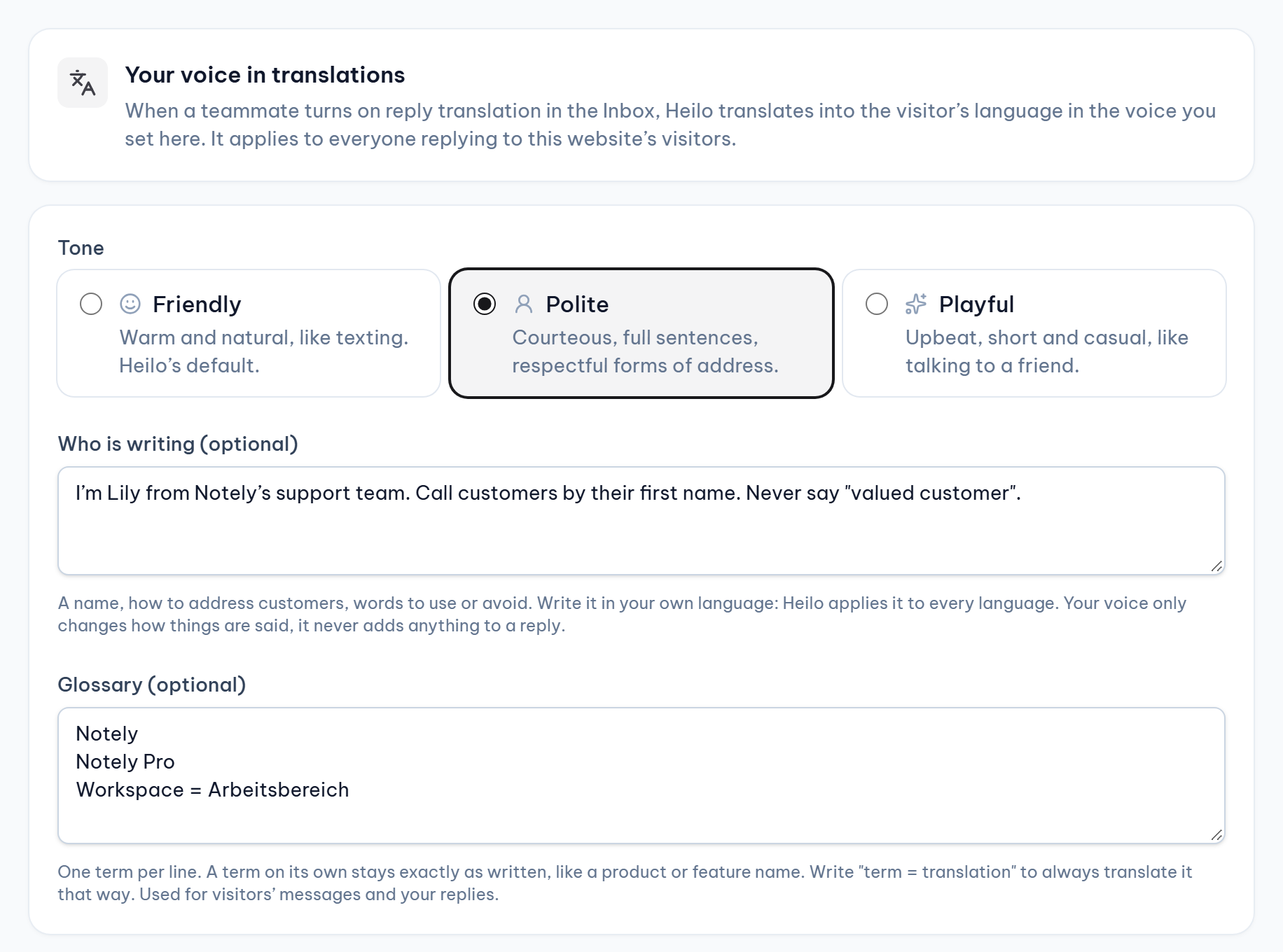
Pick a tone
Three tones cover most teams:
- Friendly is Heilo's default: warm and natural, like texting. Letter phrases such as "Dear customer" stay out.
- Polite is courteous, with full sentences and respectful forms of address: "Sie" in German, "vous" in French, polite Japanese with a light touch of keigo, "anh/chị" with "dạ" in Vietnamese. Still natural, never bureaucratic.
- Playful is upbeat, short and casual, like talking to a customer who is also a friend. Nothing rude or hard to understand.
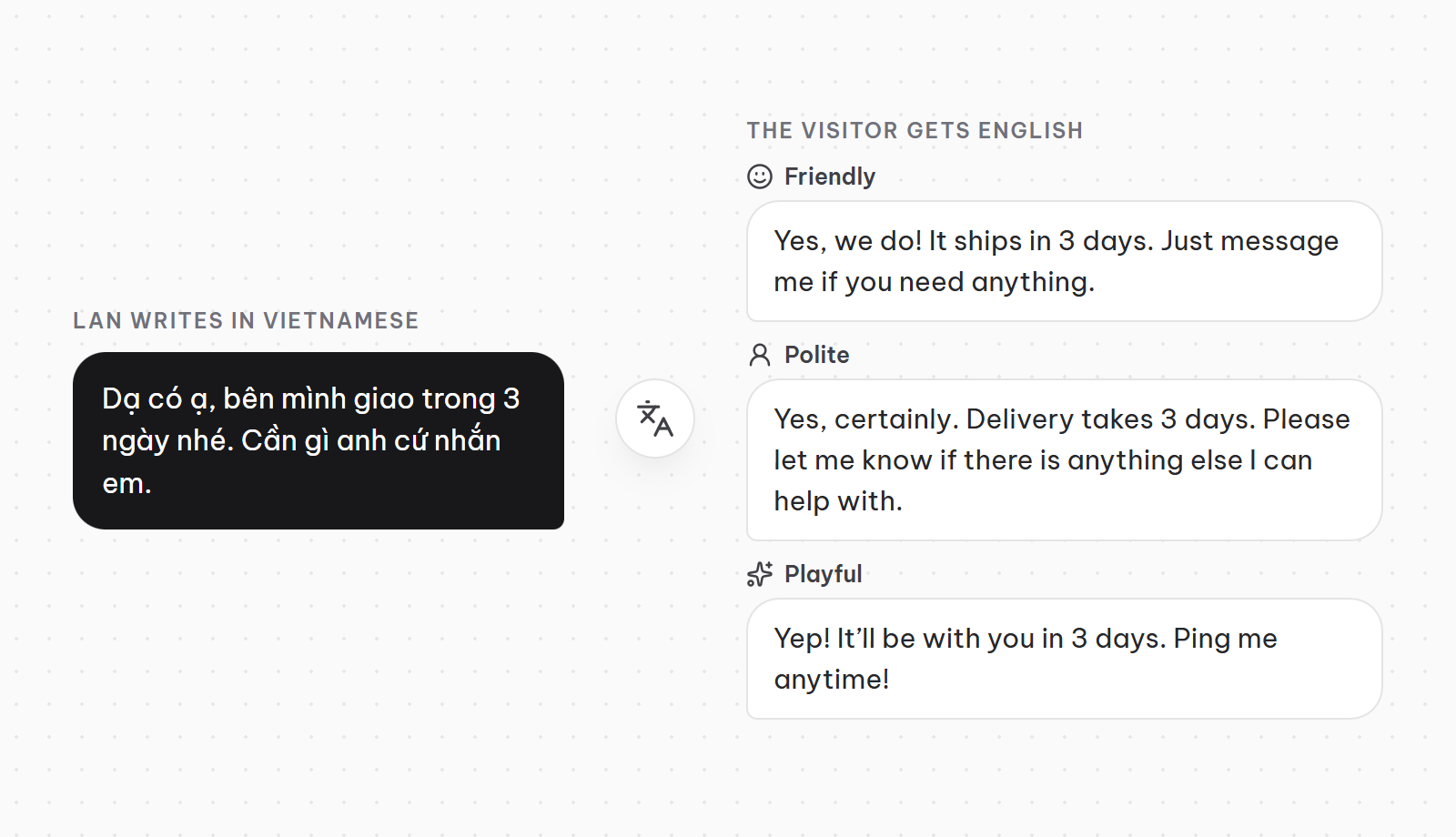
The tone is for your replies. When you translate a visitor's message to read it, Heilo keeps the visitor's own voice, because that is how they actually wrote.
Say who is writing
The Who is writing box takes a few lines in your own words. Write them in your own language: Heilo applies them to every language it translates into. For example:
Good things to put there: a name, how to address customers, words your team likes to use and words it avoids.
Your voice only changes how things are said. It never adds a greeting, a sign-off or a new sentence, and it never changes facts, numbers, prices, links or promises. If you want the same greeting in many chats, write it into a canned reply instead.
Keep your words with a glossary
Some words should never be translated, and some should always be translated the same way. The Glossary box takes one term per line:
Notely
Notely Pro
Workspace = Arbeitsbereich- A term on its own stays exactly as written: your product name, plan names, feature names.
- "term = translation" means that term is always translated that way, in either direction.
- The glossary is used for visitors' messages too, so a visitor's "Arbeitsbereich" reads as "Workspace" for your team.
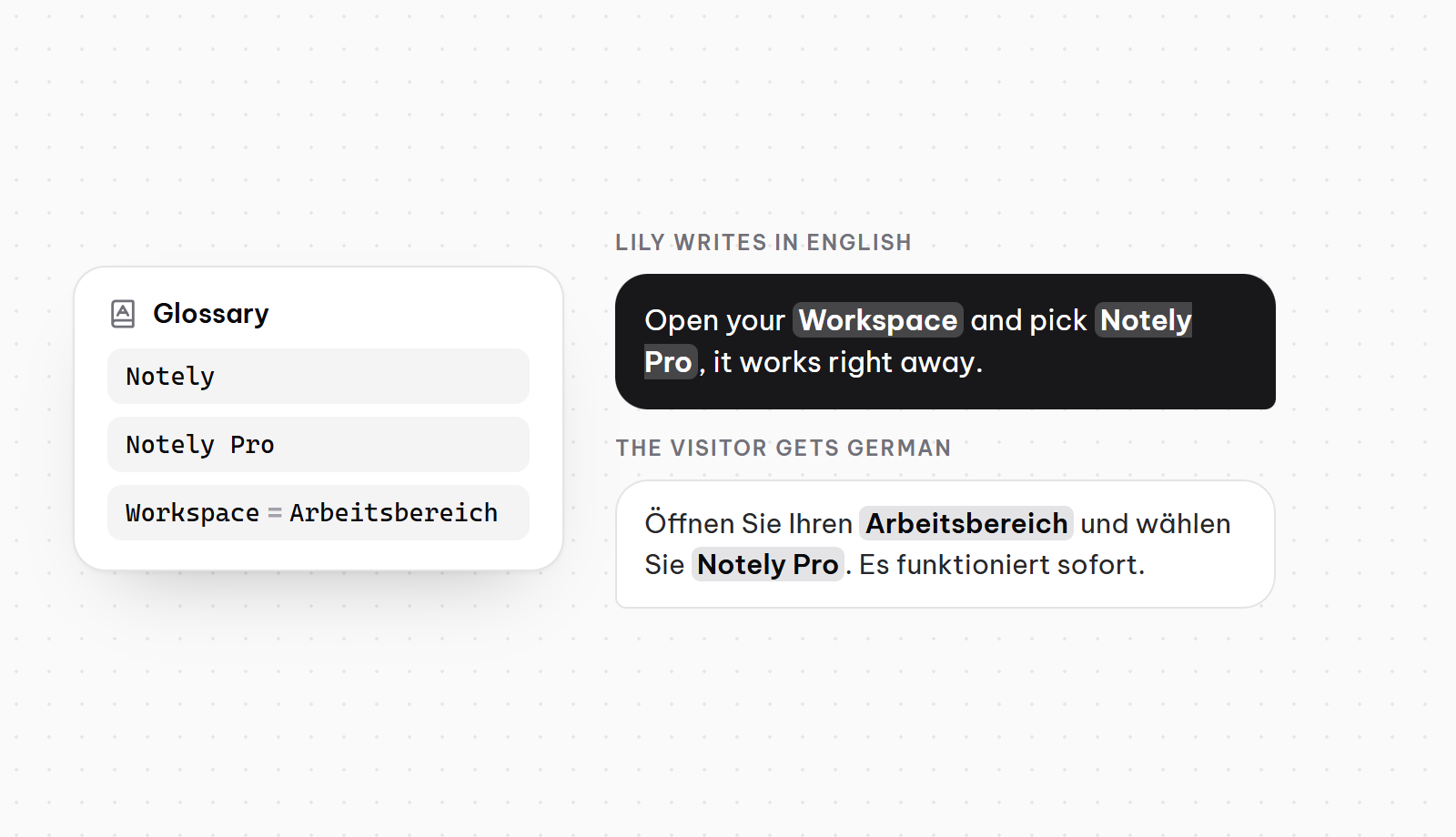
It takes up to 50 terms. Links, email addresses, codes and prices already stay as written without being listed.
Try it before you save
Under the settings, Try it translates a reply you type into the language you pick, with the voice exactly as it is on screen, saved or not. Change the tone, try again, compare. Each try counts as one translation of the day, like a real reply.
A short example
Lily Carter answers chats for Notely, a notes app, in English. Many of her visitors write in German and Japanese, and they expect a more formal tone than her usual quick replies. She picks Polite, writes "I'm Lily from Notely's support team. Never say 'valued customer'." and adds "Notely" and "Notely Pro" to the glossary.
In the Inbox nothing changes for her. In a chat with a German visitor she turns on Translate my reply and writes "Done, you're on Notely Pro now and it's active." The visitor gets it in polite German, with "Notely Pro" exactly as written. When her teammate Noah replies to another German visitor that afternoon, he sounds the same, because the voice belongs to the website, not to one person.
What stays the same
- Nothing is translated on its own. You still press Translate to read a message, and turn on reply translation chat by chat.
- Your original is kept with every translated reply, for your team, the REST API and webhooks.
- Visitors never see your voice settings. They get the translated reply, marked "Translated automatically".
- Each website has its own voice, so two products in one workspace can each sound like themselves.
| Plan | Messages translated per day |
|---|---|
| Pro ($12/month) | 2,000 |
| Business ($29/month) | 10,000 |
Setting up the voice costs nothing: only translations count, and a saved translation never counts twice. The 14-day free trial includes translation, so you can find your voice with your first international visitors.