A chat widget that speaks 13 languages
Pick Auto or one fixed language for the Heilo widget, see which texts change and which stay as you wrote them, and switch language from your code.
Chat widget3 min read
If your app has users in Vietnam, Spain and Japan, the chat should greet each of them in a language they read. If your site is only in English, the chat should stay in English, even for a visitor whose browser is set to German. One setting in Heilo handles both.
This post covers what that setting changes, what it leaves alone, and how a multilingual web app can tell the widget which language a page is in. It works the same on every plan, Free included.
Auto or one fixed language
Open Websites & widget, pick your website, and on the Appearance tab find Widget language. New websites start on Auto: match the visitor's browser. You can also pick one fixed language from the 13 the widget speaks:
| Language | Code |
|---|---|
| English | en |
| Vietnamese | vi |
| Spanish | es |
| French | fr |
| German | de |
| Portuguese | pt |
| Italian | it |
| Dutch | nl |
| Indonesian | id |
| Thai | th |
| Japanese | ja |
| Korean | ko |
| Chinese | zh |
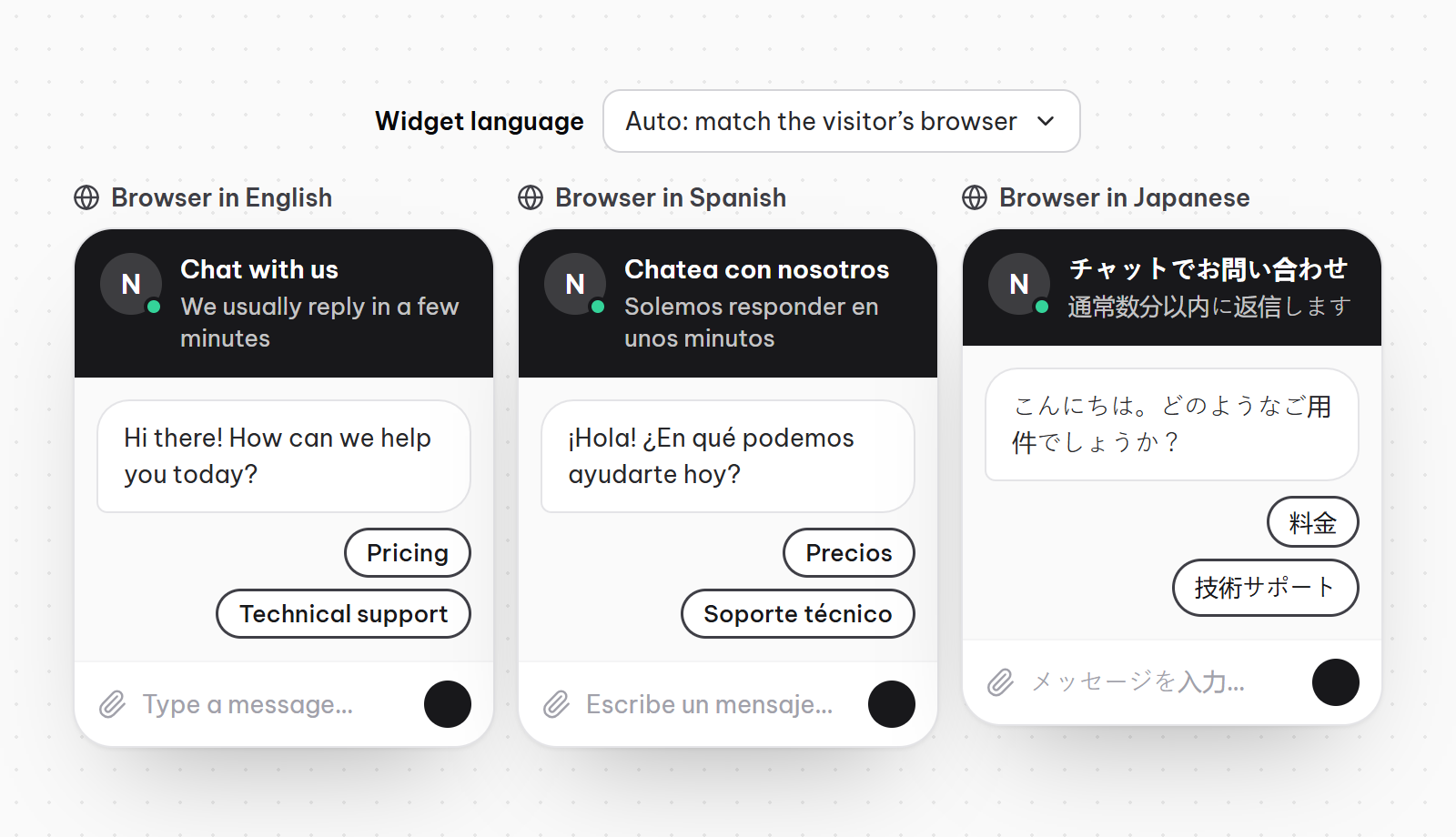
On Auto, the widget looks at your page's language first (if your site tells it, see below), then at the languages set in the visitor's browser, and falls back to English. A region is ignored, so pt-BR is shown in Portuguese.
What changes, and what stays yours
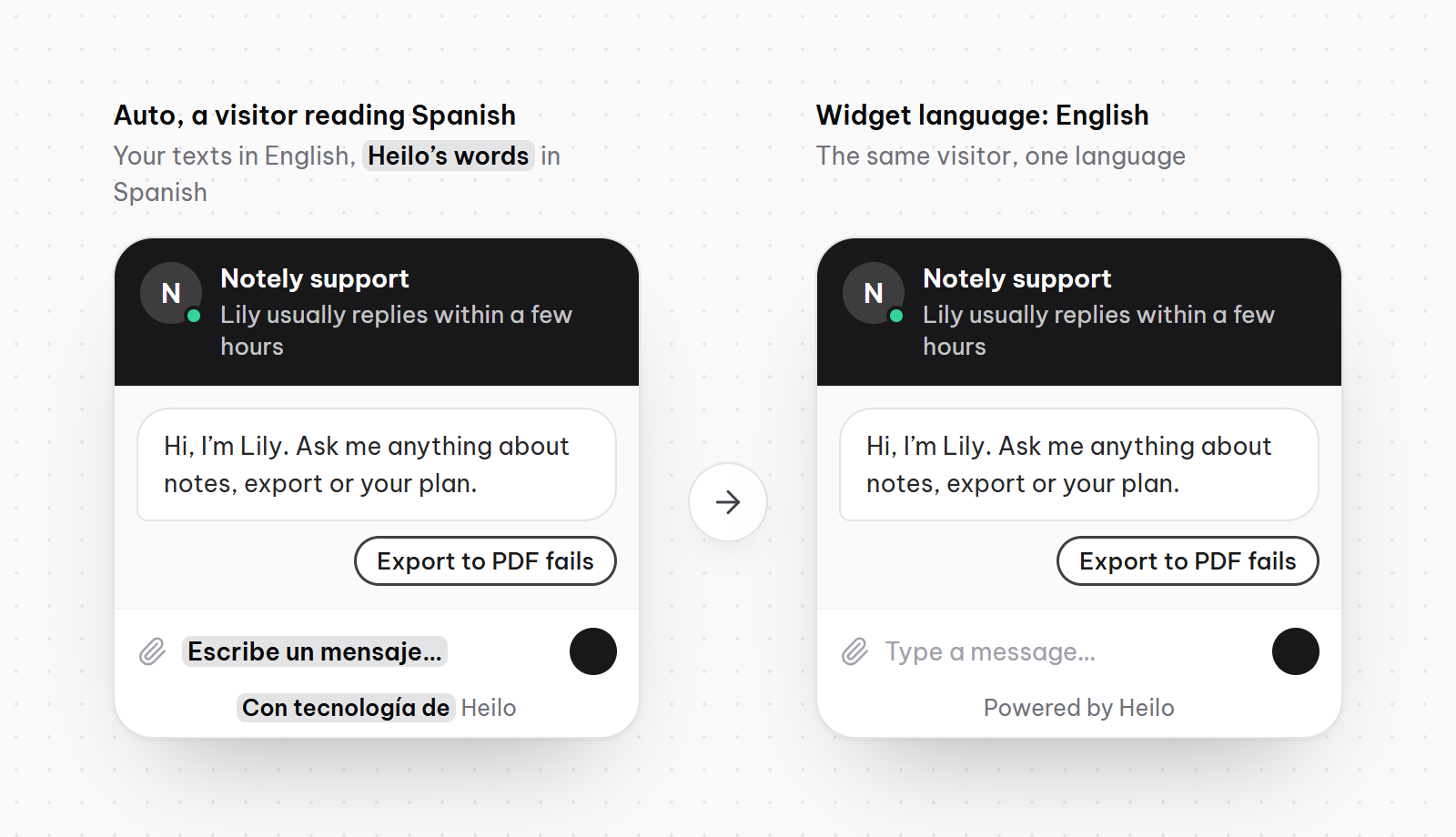
The widget language changes Heilo's own words: the message box, the online or offline status, the buttons, the pre-chat form, the rating question at the end of a chat, and lines like "We reply tomorrow from 9:00 AM".
Heilo's default texts follow it too. As long as you keep the default title, subtitle, welcome message, away message and quick replies, a visitor in Spanish sees them in Spanish and a visitor in Japanese sees them in Japanese.
Texts you wrote yourself stay exactly as you wrote them. That's on purpose: Heilo doesn't machine-translate your words behind your back. If you're on Auto and you've written some texts of your own, the dashboard points out that visitors in another language will see two languages mixed, and suggests picking one fixed language if your site uses only one.
So the choice is fairly simple:
- A site in one language: pick that language, and everything in the chat matches your page.
- A site in several languages: keep Auto with Heilo's default texts, or write your own texts in the language most of your visitors share.
Tell the widget your page's language
If your web app has its own language switch, the widget can follow it instead of the browser. Add data-language to the script tag when the page loads:
<script async src="https://app.heilo.chat/widget.js" data-website-id="YOUR_WEBSITE_ID" data-language="vi"></script>When someone switches language inside a single-page app, tell the widget without a reload:
// the user picked English in your app's settings
Heilo('setLanguage', 'en')

// back to the browser's languages
Heilo('setLanguage', null)
This only applies while the widget language is Auto. A fixed language in the dashboard always wins. The full list of commands is in the widget SDK guide.
The messages themselves
The widget language changes Heilo's words, not what people type. A visitor who writes in Korean still writes in Korean, so here is what helps on your side:
- The visitor's details in the Inbox show their language, so you know before you reply.
- The AI assistant (Starter and up) answers in the visitor's language, from the knowledge you gave it. See an AI assistant that answers from your own docs.
- Chat translation (Pro and Business) is never automatic. Press Translate under a message to read it in your language, or switch on replying in the visitor's language for one conversation. See chat translation on your terms.
The dashboard itself, where your team works, is in English, Vietnamese and Simplified Chinese.
If you're setting up the widget for the first time, the language sits right next to the color and the title, so making the chat widget look like part of your product is a good next stop.